BlackLine Review: Features, Pros, Cons & Use Cases
TL;DR:
- BlackLine is a cloud-based accounting automation platform. It supports financial close management, account reconciliations, and intercompany accounting for mid-size to large enterprises.
- Key features of BlackLine include account reconciliation, financial close management, journal entry automation, task management, etc.
- BlackLine offers strong automation, built-in audit trails, reliable integrations, and strong support.
- However, users have also reported a slow setup process, limited reporting flexibility, and high costs.
- Platforms like Osfin make for a faster, more flexible alternative. It automates the full reconciliation process, from data ingestion to compliance-ready reports, without the complexity.
Modern finance teams are under constant pressure to:
- Close books faster
- Reduce errors
- Keep complex workflows from falling apart
Manual processes make this a lot harder than it needs to be. They are slow, increase the risk of errors, and eat up time that could've been used for more important work. This is why a lot of finance teams turn to automation.
BlackLine is one of the most popular tools in this space. It covers a wide range of financial workflows, from record-to-report to invoice-to-cash.
But what does BlackLine actually offer? What are its pros and cons? And should you even consider it? We'll break it down in this detailed BlackLine review.
What is BlackLine?
BlackLine is a cloud-based financial platform. It serves mid-size to large enterprises across industries like banking, healthcare, insurance, manufacturing, and telecom.
It helps finance teams reduce manual work and avoid errors by automating key parts of their financial operations. It brings all accounting data into one place, so you get a complete view of your finances.
The platform is powered by AI. Its Studio360 platform connects your data and manages workflows in one place. Its AI engine, Verity, helps with journal entries, reconciliations, intercompany processes, and cash flow forecasting.
You can use BlackLine for three key areas:
- Financial Close Management
- Account Reconciliations
- Intercompany Hub
You can access the platform through a web browser or a mobile app. It also offers 24/7 support and helps you get set up quickly.
What are the Key Features of BlackLine?
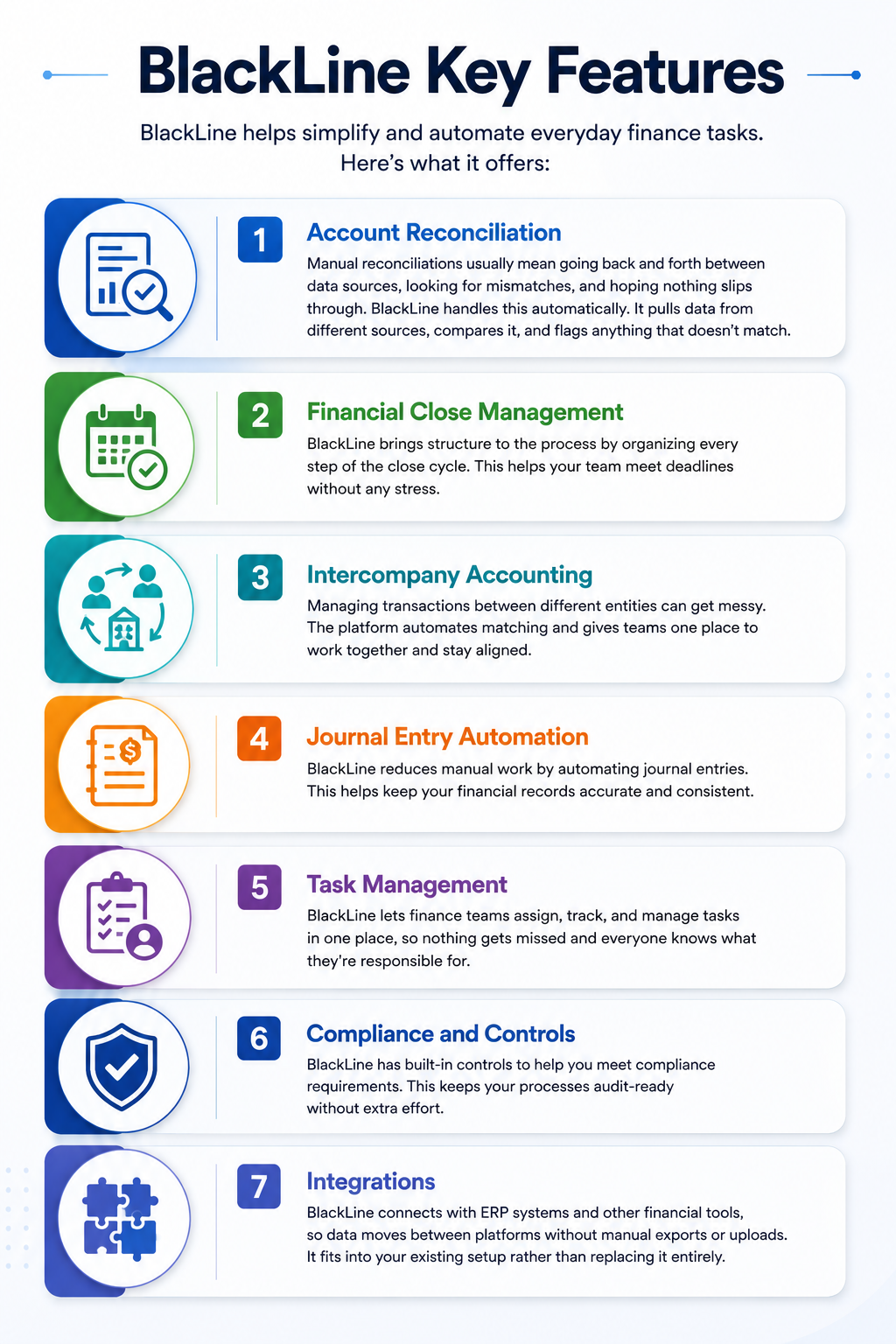
BlackLine helps simplify and automate everyday finance tasks. Here’s what it offers:
1. Account Reconciliation
Manual reconciliations usually mean going back and forth between data sources, looking for mismatches, and hoping nothing slips through. BlackLine handles this automatically. It pulls data from different sources, compares it, and flags anything that doesn’t match.
2. Financial Close Management
BlackLine brings structure to the process by organizing every step of the close cycle. This helps your team meet deadlines without any stress.
3. Intercompany Accounting
Managing transactions between different entities can get messy. The platform automates matching and gives teams one place to work together and stay aligned.
4. Journal Entry Automation
BlackLine reduces manual work by automating journal entries. This helps keep your financial records accurate and consistent.
5. Task Management
BlackLine lets finance teams assign, track, and manage tasks in one place, so nothing gets missed and everyone knows what they're responsible for.
6. Compliance and Controls
BlackLine has built-in controls to help you meet compliance requirements. This keeps your processes audit-ready without extra effort.
7. Integrations
BlackLine connects with ERP systems and other financial tools, so data moves between platforms without manual exports or uploads. It fits into your existing setup rather than replacing it entirely.
What are the Pros and Cons of BlackLine
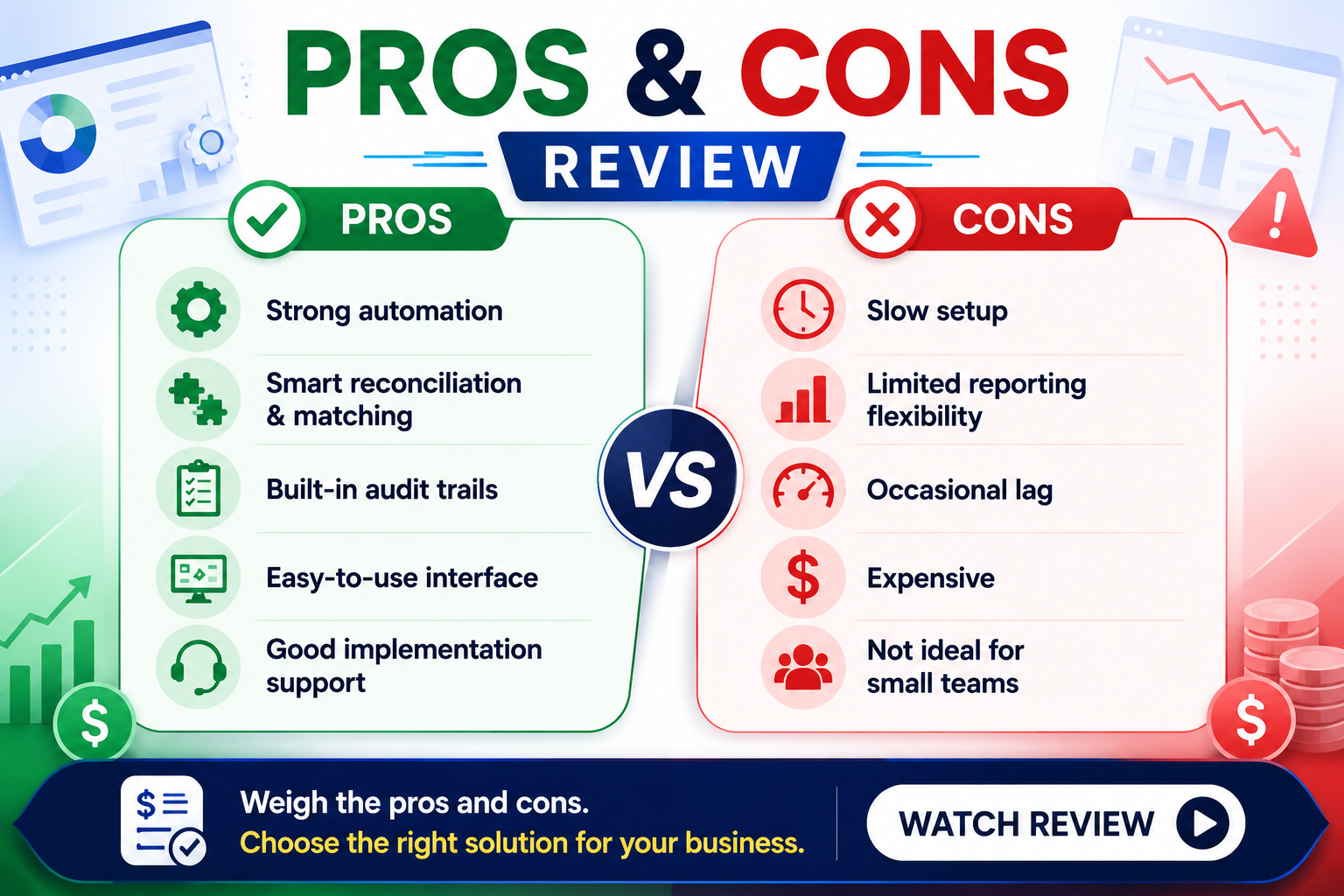
BlackLine brings all financial data and processes into one place. However, it comes at a price. Let’s take a closer look at BlackLine’s pros and cons.
Pros:
- Powerful accounting automation with thorough account reconciliation and transaction matching capabilities.
- Detailed audit trails and controls are built into the workflow.
- Reliable uptime and solid integrations with major financial tools.
- A clean interface that most users find easy to navigate.
- Strong implementation support.
Cons:
- Complex and time-consuming implementation.
- You may need a dedicated admin to get the most out of the platform.
- Limited reporting customization.
- Performance can lag occasionally.
- High upfront and ongoing costs.
- Not a great fit for smaller teams or organisations.
{{banner1}}
BlackLine Pricing Overview
BlackLine hasn't disclosed its pricing publicly. Like many enterprise platforms, it uses a custom pricing model. This means the cost you pay depends on your organization's specific needs. That said, here’s a general breakdown of how Blackline’s pricing works.
Subscription-Based Model
BlackLine has a subscription model, billed monthly or annually. Annual plans have a lower overall cost compared to month-to-month billing.
The number of user licenses also plays a big role in determining price. The more team members you need to give access to, the higher the subscription fee.
Modules That Affect Pricing
BlackLine has a modular platform. This means you can pick and pay for only the features you need. The key modules include:
- Account reconciliations
- Task management
- Journal entry automation
- Transaction matching
- Account analysis
Additional Fees
The subscription cost is just one part of the picture. BlackLine charges a range of additional fees for services like:
- Implementation
- Configuration
- Integrations
- Customization
- Data Migration
BlackLine Use Cases
BlackLine is not a one-size-fits-all solution. It works best in certain situations:
- Large Enterprises
BlackLine is well-suited for companies with multiple subsidiaries and global operations. It helps manage different currencies and complex financial structures. It also integrates smoothly with ERP systems like SAP, Oracle Fusion, and Workday.
- Multi-ERP Environments
BlackLine is also a good fit for companies running different ERP systems across various parts of the business. The platform serves as a centralized hub, tying everything together for reporting and automation.
- Mature Finance Teams
BlackLine works well for organizations that can commit to a longer implementation and have the capacity to manage the platform on an ongoing basis.
- High-Volume Transaction Processing
Teams handling large amounts of reconciliations regularly can also benefit from BlackLine. It helps manage everything from bank statements and intercompany settlements to subledger matching while keeping compliance in check.
Why Should You Consider BlackLine?
BlackLine may not be the right fit for everyone. Here’s who benefits the most:
- Large enterprises and public companies that deal with high transaction volumes and need tight controls over their financial close process.
- Accounting firms managing multiple clients, where keeping everything organized and audit-ready across different accounts is a constant challenge.
- International organizations that handle multicurrency accounting and need a platform that can keep up with that level of complexity.
- Companies running SAP as their ERP, particularly those with intricate financial operations that need a solution built to match that scale.
Who Might Need an Alternative?
You might want to consider BlackLine alternatives if:
- You are a mid-market team looking for per-module pricing.
- You need an AI-native investigation for variances.
- You prefer one platform that can handle everything.
- You need something that can be set up quickly.
- You want AI built into the platform from day one.
BlackLine vs Modern Reconciliation Platforms
BlackLine is a strong platform, but it is built for large enterprises. If your organization has different needs, modern alternatives like Osfin are worth taking a closer look at. Here's how the two compare:
{{banner1.1}}
Why Fintechs Are Choosing Osfin Over Traditional Enterprise Suites
Osfin is a financial automation platform that is built to grow with your organization. This means you don’t have to pay for capacity you don't need yet. When processes change or new financial products come into the picture, Osfin can easily adapt to meet new requirements. Moreover, it has usage-based pricing, which makes it a more practical option for fintechs working with a tight budget. Here are its core features:
- Data Ingestion
Osfin connects to 170+ data sources and pulls in data regardless of the format. This means you don't need to manually reformat files before using them. During ingestion, Osfin applies custom deviation tolerances to filter out poor-quality data and automatically detects duplicates and outliers.
- Reconciliation
Osfin uses logic-based matching and can handle complex transaction structures, including many-to-one, one-to-many, and multi-way reconciliations. It processes up to 30 million records in 15 minutes and auto-reconciles payment gateway reports, complete with commission, tax, and fee breakdowns.
- Exception Handling
Osfin automatically flags unmatched transactions with a reason and routes them to the right team member through a built-in ticketing engine. Live dashboards give your team full visibility into match status, open exceptions, and exposure at any point.
- Output
Osfin creates a compliance report for every reconciliation, with a clear record of all transactions. This helps you stay prepared for audits without extra work. It also keeps your data secure with features like encryption, access controls, approval checks, and two-factor authentication. It follows key standards like SOC 2, PCI DSS, ISO 27001, and GDPR.
Conclusion
BlackLine works well for large companies with complex financial needs. It can handle high volumes and multiple systems without much trouble.
That said, it’s not built for everyone. It can be expensive, takes time to get up and running, and may feel like more than what smaller teams need.
If that is you, alternatives like Osfin may be worth a look. It’s easier to set up, grows with your business, and covers everything from data ingestion to audit-ready reports.
Want to see how Osfin can work for your team? Book a demo today.
FAQs
1. Is BlackLine suitable for fintech companies?
BlackLine is mainly built for large finance and accounting teams. Smaller or fast-moving fintechs may find it too complex and harder to set up quickly. Larger fintechs may get more value from it.
2. Does BlackLine offer real-time reconciliation?
Yes, BlackLine supports automated, real-time reconciliations.
3. How much does BlackLine cost?
BlackLine has custom pricing that is not publicly available. The cost can vary depending on your company’s size, the number of users, and the modules you need.
4. What are the best alternatives to BlackLine?
Osfin is one of the best alternatives to BlackLine. It offers flexible reconciliations, 170+ integrations, and usage-based pricing.
5. Is BlackLine good for mid-sized businesses?
BlackLine can work for mid-sized businesses. However, it is designed with large enterprises in mind.