What Is Vendor Invoice Management? Steps, Challenges & Benefits
Every invoice that you receive from a vendor is a legal claim of a payment that you are obligated to make. This means that managing vendor invoices that you receive is a high-stakes exercise, which if not done carefully can undermine your financial control and institutional trust.
When an invoice enters your system, it is a claim and demand for withdrawal from your company's liquidity. If your vendor invoice management process is loose, it can leave you leaking revenue through duplicate payments, overcharges, and fraudulent ghost invoices. On the other hand, if your process is way too complicated, you may lose the trust of your suppliers. As your business scales, the growth makes the entire exercise even more intricate and complex.
Let's discuss what vendor invoice management means in detail, the steps involved in the process, what happens if your systems are not well-framed and what challenges can come up in your way.
What is Vendor Invoice Management?
Vendor Invoice Management is the entire process from the moment you receive an invoice from your vendor until you make the final payment. It includes receiving and entering invoices, checking their accuracy, obtaining approvals, and recording the transaction in your accounting system.
Vendor Invoice Management Process: Step-by-Step
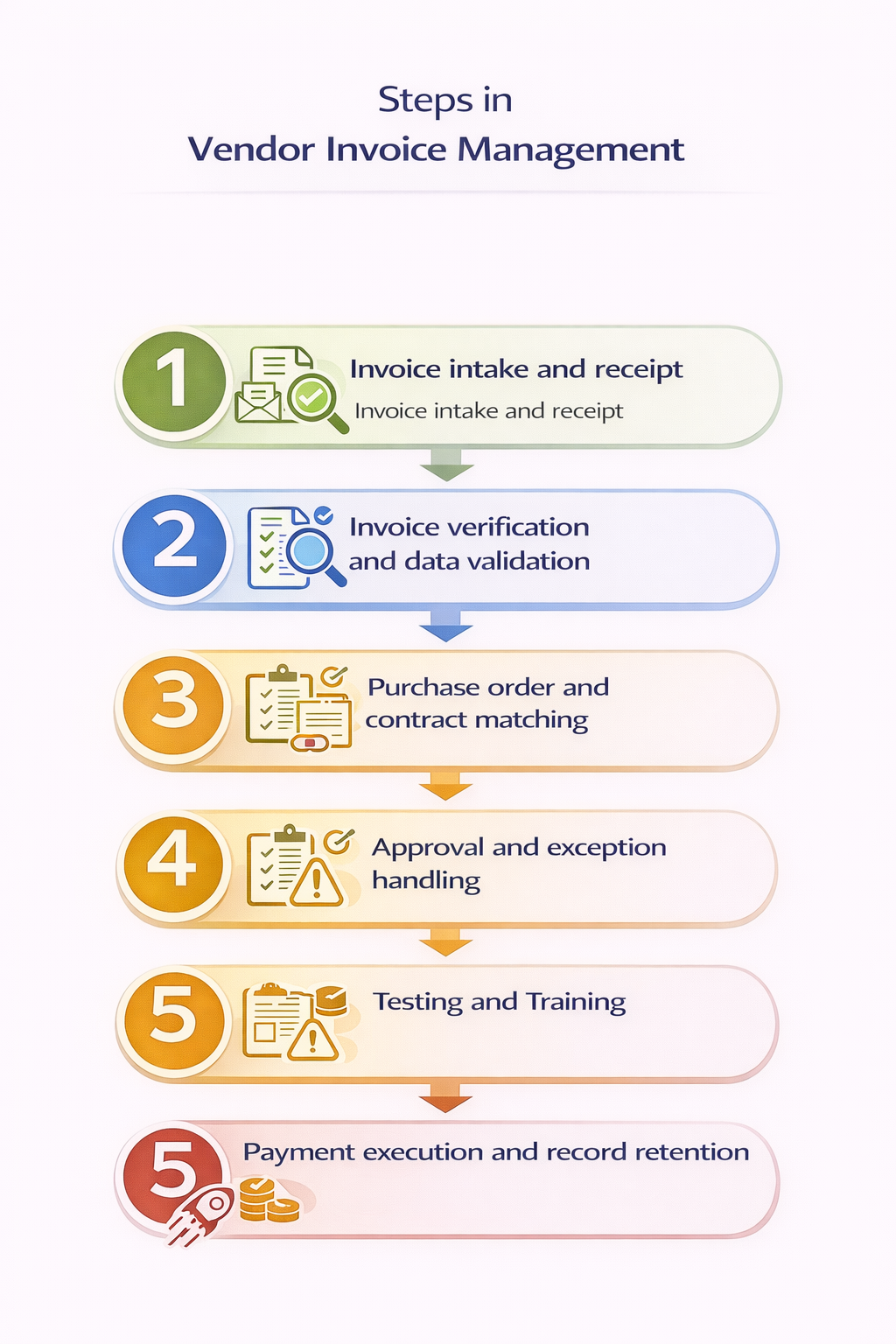
1. Invoice Intake and Receipt
Vendor Invoice management begins the moment your vendor issues a request for payment. Invoices can enter your systems through various channels like traditional mails, in email attachments as PDFs, or direct digital streams like EDI.
The main risk you face at this stage is that of unstructured channels. If invoices are sent to individual employees’ personal inboxes, in varied formats, or arrive as physical paper, the lack of uniformity can become confusing. This may lead to lost invoice, duplicate entries and the inability to track your short-term liabilities accurately.
2. Invoice Verification and Data Validation
Once you’ve received an invoice, the next step is to extract the data and verify it. This means you have to confirm that the vendor exists in your master database, the tax ID provided is valid, and that the mathematical totals including line items, shipping and taxes are mentioned correctly.
When done manually, this can be a hectic process because it relies entirely on human precision to catch errors that are often microscopic. A single transposed digit in a bank account number or a misplaced decimal point in a tax calculation can lead to a financial leak.
3. Purchase Order and Contract Matching
The next step in the process is to match the invoice against all supporting documents like your purchase orders and contracts. If the invoice is PO-based, you have to check quantities, pricing, service periods, and reference numbers against the approved purchase order. When no purchase order exists, you have to compare the invoice with contracts, rate cards, or agreed commercial terms.
You may face problems at this step if vendors bill outside your agreed price or use incorrect PO references. When such mistakes occur the invoice doesn’t progress further and you’d need manual clarification.
4. Approval and Exception Handling
Once an invoice passes matching checks, you can route it for approval. This confirms that the expense is valid, expected, and authorized for payment. You can assign each invoice to a specific approver who understands the service or purchase being billed.
Invoices that fail validation enter an exception flow. Pricing differences, missing information, or tax discrepancies that are flagged in the previous steps are reviewed and corrected at this point.
5. Payment Execution and Record Retention
Finally, you can schedule the invoice for payment based on agreed terms and internal payment cycles. At this stage, you would have to authorize the payment, release funds, and confirm settlement through your banking system.
Once you complete the payment, you have to retain detailed records by linking each invoice to its payment reference, settlement date, and any deductions or adjustments. These records will then support any audits, internal reviews, and vendor queries in the future.
Improving Vendor Invoice Management Before Automation
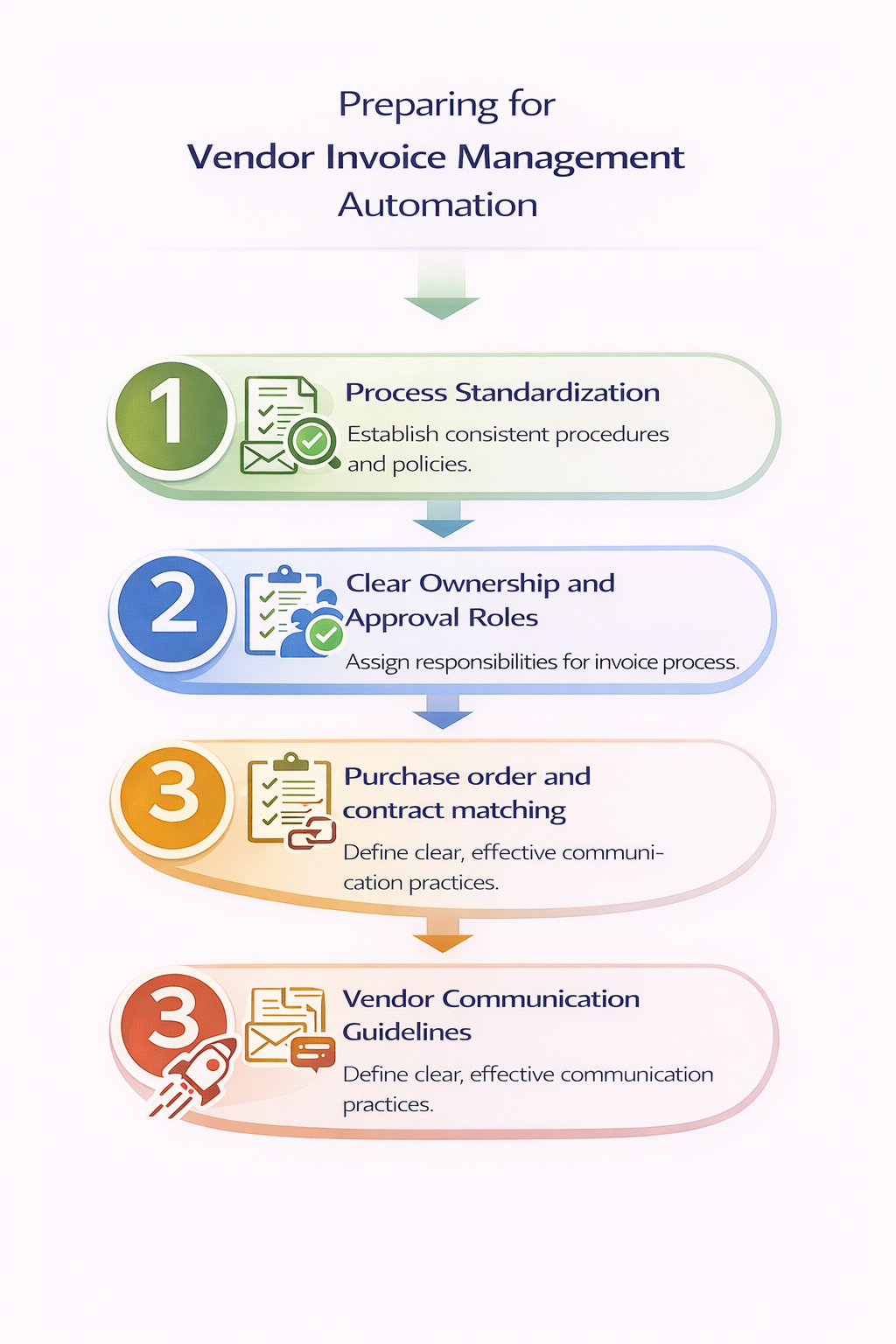
It is well known that automating your processes can help make your invoice management faster and more efficient. However, before you go ahead and invest in software, you have to realize that automation can only strengthen your current processes. So if your manual process is chaotic, automation may not help to the extent it can.
Here is how you can optimize your vendor invoice management before you automate the process:
1. Process Standardization
The first step to efficiency is to standardize and that should start with setting strict invoice requirements. You should provide your vendors with a template that mandates the inclusion of a Purchase Order (PO) number, a clear breakdown of taxes, and specific line-item descriptions.
Simultaneously, you must enforce intake rules. If your vendors are sending invoices to various department heads or individual buyers, your visibility is compromised. You must mandate a single point of entry, typically a dedicated "invoices@" email address.
This helps you remove the risk of invoices being lost.
2. Clear Ownership and Approval Roles
A major source of delay is the "who does what" confusion. You need an accountability framework , often called a DOA or Delegation of Authority, that explicitly states who has the power to sign off on specific dollar amounts.
When an invoice arrives, there should be no question about who needs to approve it. You can remove the administrative burden of passing documents around by assigning owners to specific project codes. This way the right person can take care of approvals at the right time.
3. Vendor Communication Guidelines
Most invoice errors are born upstream, when the invoice is created. You can drastically reduce these errors by establishing communication guidelines with your suppliers.
Proactively inform your vendors about your payment cycles and the specific criteria that will cause an invoice to be rejected. When you treat vendors as partners in the process, providing them with a rulebook for how to get paid, they are far more likely to submit clean, accurate data.
This can help you reduce unnecessary back and forth and delays.
Role of Automation in Vendor Invoice Management
Once you standardise your manual processes, you can use automation to change how vendor invoice management works day to day. Automation reduces the number of handoffs and increases the visibility you have into the entire process. Here’s how automation holds every step together:
1. Automated Invoice Capture
The first major use of automation is to replace manual data entry processes during invoice capture. Instead, Automated Invoice Capture uses Optical Character Recognition (OCR) and AI to read the document. This way the system can instantly identify and extract data like line-item prices, tax amounts, and vendor details from invoices across all formats.
Automated capture of data removes errors caused by manual entry and ensures that your digital records mirror accurate information from the original claim.
2. Rules-Based Validation and Matching
Manual verification is usually time consuming because someone has to painstakingly check that heck every detail matches your internal records. When you move to an automated system, you can replace this tedious oversight with rules-based validation. The system automatically cross-references invoices against your master vendor list and tax regulations. It can also perform the three-way matches in milliseconds by comparing the invoice against your Purchase Orders and Goods Receipts.
3. Workflow Automation
Even after an invoice is validated, the final approval step can take time. With workflow automation you can digitally route the invoice through a pre-defined approval hierarchy that automatically sends sends the document to the specific manager or department head responsible for that expense.
This way there’s lesser manual follow-up as the system can trigger auto reminders or escalate the task to the next level of authority.
4. System Integration
Finally, for automation to be effective, your vendor invoice management processes and systems have to link to other software and tools you have in place like your accounting or ERP software. This way, when an invoice is approved it is automatically posted to your general ledger and scheduled for payment without any manual re-entry.
With such real-time syncing, you can fully remove human error and also see exactly what the status of the invoice is at every point as it moves through your organization.
Measuring Vendor Invoice Management Performance
While implementing a vendor invoice management system is important, it is equally important to constantly measure how well it's working for your organization. You must be able to answer questions like:
- Are we paying our vendors fast enough to earn discounts?
- Is our staff spending too much time on manual corrections?
- Are our costs scaling faster than our revenue?
To find these answers, you need to track specific benchmarks that reflect the health of your financial operations.
1. Invoice Cycle Time
This is the total time elapsed from the moment an invoice enters your organization until it is fully approved and ready for payment. As a primary speed indicator, your cycle time tells you exactly where the friction lies. A high cycle time usually suggests that invoices are getting stuck in someone’s inbox or that your manual handoffs are too slow.
2. Cost per Invoice
You need to look at the total overhead of your Accounts Payable process, including labor, software subscriptions, and even paper costs, divided by the number of invoices you process. Manual processing is notoriously expensive, often costing ten times more than an automated equivalent.
Tracking this metric helps you quantify the hidden costs of growth-driven complexity and justifies further investment in automating your systems.
3. Error and Exception Rates
This percentage tracks how many invoices fail the initial validation or three-way match and require human intervention to fix. A high exception rate is a clear signal that something is wrong upstream, whether it’s a vendor consistently sending incorrect totals or a procurement team failing to create accurate Purchase Orders.
4. On-Time Payment Performance
Lastly, this metric measures the percentage of invoices paid within the agreed-upon terms. Consistently high on-time performance builds immense institutional trust with your suppliers. When you are a reliable payor, you gain leverage to negotiate better pricing, prioritized shipping, and more favorable credit terms. This can directly benefit your bottom line.
Final Thoughts: Strengthening Vendor invoice Management with Reconciliation
Vendor invoice management decides how you receive vendor claims, validate and approve them and finally pay. If you handle this part well, you benefit from structured spending, fewer disputes with your suppliers and much greater predictability over your financial situation.
Vendor reconciliation is, however, only one part of finance management. To bring the process to completion, you also must have a strong reconciliation process in plays. This can help you with verifying what actually happened after payments move through systems and settlement reports.
Osfin supports the payment reconciliation layer of financial operations.
- It begins with data ingestion. Osfin imports data from multiple sources using a file-format agnostic platform with 170+ integrations. During ingestion, it applies custom deviation tolerances to filter poor-quality data and detects duplicates and outliers early, before reconciliation begins.
- The reconciliation process follows. Osfin uses logic-based matching to reconcile transactions across many-to-one, one-to-many, and multi-way scenarios, including two-way, three-way, four-way, and five-way reconciliations. It reconciles up to 30 million records in 15 minutes and auto-reconciles payment gateway reports, including commission, tax, and fee breakdowns.
- For exception handling, Osfin flags unmatched transactions with clear reasons and routes them to the right team through its ticketing and exception handling engine.
Finally, Osfin delivers audit-ready output. It generates compliance reports and maintains complete traceability and transaction history. Security controls include 256-bit encryption, maker-checker flows, role-based access, and two-factor authentication, with compliance across SOC 2, PCI DSS, ISO 27001, and GDPR.
To conclude, vendor invoice management keeps billing disciplined while payment reconciliation keeps financial records accurate. Both are essential. Osfin helps you strengthen the latter with speed, structure, and control.
Book a demo with Osfin.ai today!
Frequently Asked Questions
1. What is vendor invoice management?
Vendor invoice management is the entire process of you receiving, validating, approving, and storing invoices from third-party vendors. It is part of your Procure-to-Pay (P2P) cycle and helps you confirm that you only pay for what you ordered, what was actually delivered, and what both parties agreed upon.
2. How does vendor invoice management differ from accounts payable?
Accounts payable is a broader finance function that helps you with managing vendor balances, payment schedules, cash flow tracking, and fund disbursement. Vendor invoice management focuses only on the invoice itself. It helps you control how the document is verified and approved before it reaches the payment stage.
3. Why do vendor invoice approvals get delayed?
You may experience delays in your vendor invoice approvals if some data does not match your actual records. This can happen because of price or quantity mismatches with the purchase order, missing PO numbers, invoices sitting in inboxes waiting for review or purchases that were not formally approved.
4. What problems does vendor invoice automation solve?
Automation helps you solve the problem of extensive manual effort that is needed to manage vendor invoices efficiently. It also prevents any data entry errors that may occur due to manual processing. You are additionally able to speed up your approvals, flag issues like duplicates and track overall processing time and other metrics for better decision making in the future.
5. How can businesses reduce vendor invoice errors?
The first step to reduce errors in your vendor invoice management process is to standardize it and create policies that vendors must follow for invoices to be accepted. Additionally you must keep vendor records updated and set up validation rules. Once these systems are in place, automating the process will help you remove further errors.