Automation of Financial Reporting: Benefits, Process & Best Practices
If you want to take the manual stress out of financial reporting, all you need is a robust automation platform. Instead of relying on error-prone spreadsheets and fatigue-driven checks, automation tools help you connect to your source systems, pull and organize data, perform reconciliations, and route exceptions to the right owners automatically.
For banks, financial institutions, card providers, and treasury teams, this means faster closes, 100% accurate reports, and consistent compliance across each and every step.
In this article, you'll look at the steps involved in automation of financial reporting, the available tools and some best practices that will keep you ahead of the advancements in the finance industry.
What is Automation of Financial Reporting?
Automation of financial reporting is all about using software and technology to handle routine tasks like data collection, reconciliation and report generation. You implement automation to replace the manual spreadsheets with secure platforms that process high-volume data.
Today, automation of financial reporting is an absolute necessity for banks and financial institutions like card providers and treasury teams. This technology helps you get benefits like speed and compliance with standards like SOC.
Why Does Financial Reporting Need Automation?
Financial reporting involves handling large volumes of transaction data and meeting tight deadlines. Manual methods can't keep up with this and are riddled with errors, so automation has become crucial for financial reporting.
What are the Pain Points of Manual Reporting?
Manual reporting creates errors and delays as your team is left chasing spreadsheets. One wrong entry can lead to hours of fixes. This eventually makes audits a stressful process with scattered proof. Some common pain points include:
- Wasted hours to centralize data from multiple sources in messy formats.
- Endless copy-paste and formula tweaks.
- Delay in month-end or quarter-end closes.
- No clear audit trail for regulators.
What are the Business Drivers for Automation?
Businesses push for automation mainly to cut costs and improve control over operations. Faster closures free you, your team and decision makers like CFOs for strategy planning and automation tools offer scalability without the need for extra hires.
Automation tools like Osfin also feature a real-time dashboard to spot risks instantly and perform the necessary fixes for compliance. Some key drivers for using Osfin, an automation tool for financial reporting, are:
- Need for faster and real-time insights.
- Zero tolerance for errors in filings.
- Strategic business support.
- Ability to scale and reconcile up to 30 million transactions in just 15 minutes.
- Pressure to achieve compliance.
- Built-in audit-ready trails.
How Does Financial Reporting Automation Work?
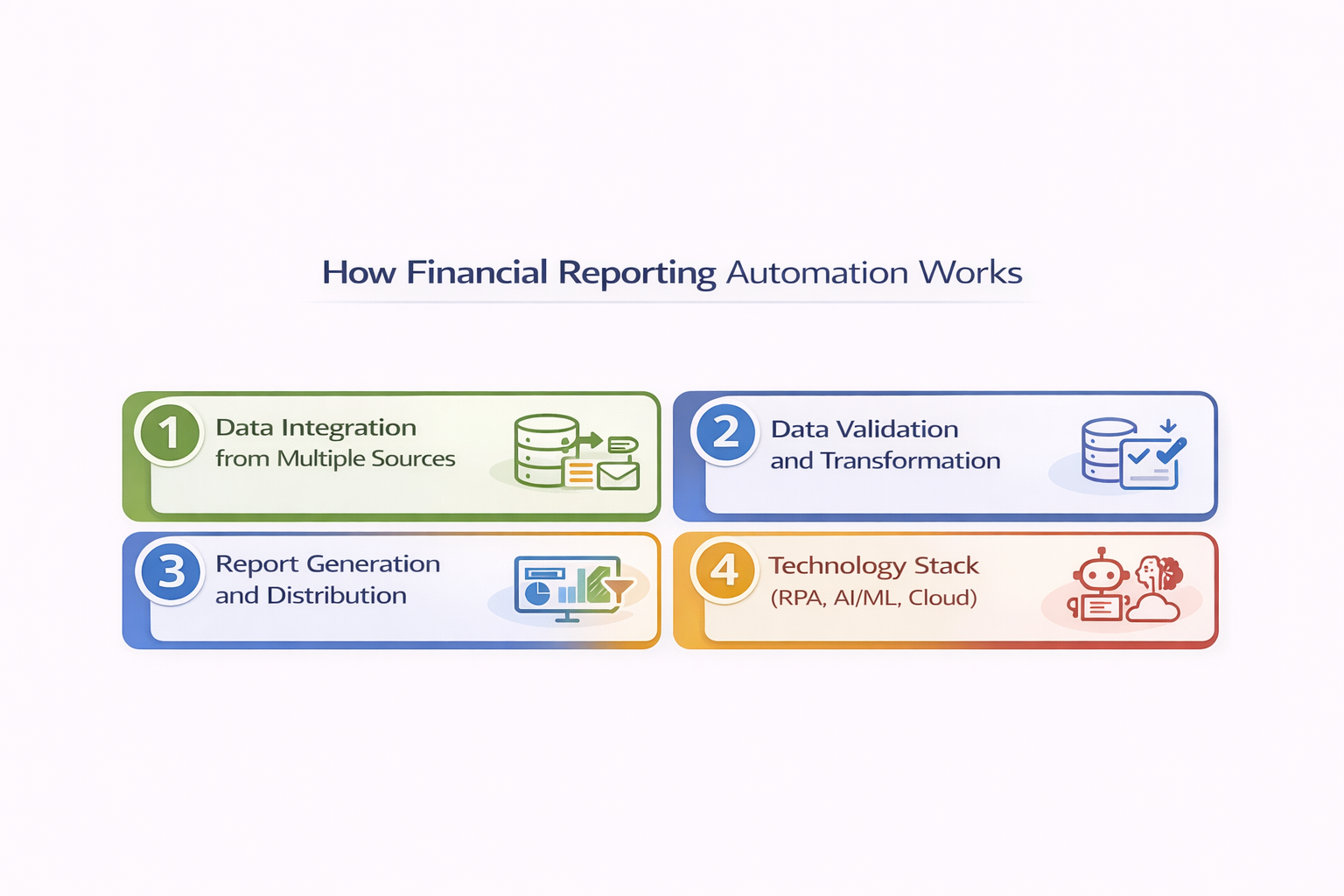
Financial reporting automation helps you streamline all financial operations in the reconciliation process from start to end. You can automate connecting sources for data gathering, cleaning and report generation to share them at the earliest.
Your banks can cut days required for closing books and provide accurate numbers for leaders and regulators to support business decisions.
Data Integration from Multiple Sources
You can gather data from multiple sources - ERPs like SAP, accounting tools like QuickBooks and banking systems using automation. Card providers can also link payment gateways and processors.
Osfin is a file-format agnostic platform that helps you automate various processes in the entire financial reconciliation process. It offers more than 170 integrations to import data from multiple sources, in multiple formats. Osfin further standardizes and cleans the data by applying custom deviations. It filters out all poor-quality data, outliers and duplicates before you begin your reconciliation process.
Data Validation and Transformation
The automation system uses rules to detect and correct data mismatches. The logic verifies balances, and all the mismatched transactions are detected as anomalies and flagged.
Osfin's reconciliation process uses logic-based matching to handle many-to-one and one-to-many and 2/3/4/5 way reconciliations. It can reconcile 30 million records in 15 minutes at 100% accuracy. Osfin also offers reliable exception handling through its ticketing engine. It automatically flags any unmatched transactions and assigns them an accurate reason before routing them to the responsible teams. Osfin also offers live dashboards to provide clear visibility into match status, exposure levels and exception queues for faster resolution.
Report Generation and Distribution
Once data is reconciled, automation tools generate reports using a pre-built template format for documents like P&Ls and balance sheets. You can schedule these to run daily, weekly, or monthly on the basis of transaction volume and the percentage of risk involved.
Technology Stack (RPA, AI/ML, Cloud)
For automation tools, the cloud platform is a foundational part of the technology stack as it offers scalable storage, processing power and easy access from anywhere across the world. RPA or Robotic Process Automation, handles repetitive tasks like pulling bank files, running formulas or updating spreadsheets.
AI and machine learning offer assistance with intelligent processes like reading unstructured invoices or contracts, and ML learns from past data to spot patterns, predict cash flows and flag unusual trends to keep fraud at bay.
{{banner1}}
What are the Tools and Platforms for Automation?
There are a variety of tools and platforms available for automation, but with the right, suitable option, you can streamline handling data from card processes, treasuries and ERPs. Automation tools deliver speed, accuracy, and compliance in one complete package so that you can close books faster and focus more on strategy.
Types of Tools
The major types of automation tools are reporting platforms, FP&A systems, and embedded ERP modules.
- Reporting platforms help you generate financial statements and management reports by pulling clean data and applying standard templates for balance sheets and P&Ls.
- FP&A systems are focused on planning and analysis, and such tools handle budgeting, forecasting, and variance reports. They also link to the actual plans to show gaps in revenue or costs so that you can track liquidity and profitability accordingly.
- Embedded ERP modules are built into your bank's systems, and they automate close tasks, manage intercompany eliminations, consolidations, and journal entries. You can rely on them for multi-entity reporting.
Core Features to Look For
The best automation tools should have features specifically designed for the finance industry and its operations. You can focus on these core features:
- Integration: The automation tool should seamlessly connect with ERPs, core banking systems, card processors and payment gateways to extract data without needing any manual exports for format difference issues.
- Audit Trails: Clear, traceable records of every change, calculation, and approval should be automatically documented. This is for when regulators or auditors demand proof that numbers trace back to source data. You can opt for tools that provide timestamped logs and exportable evidence.
- Customization: The automation tool must support customization for your unique needs, rules and tolerances. It should allow control and let you and your team make changes for matching, thresholds, and workflows without code.
Evaluation Criteria
Here are some key evaluation criteria to help you pick an automation tool that ensures long-term success and scalability. These are the aspects in which you cannot compromise:
- Security: Data protection is non-negotiable for financial institutions. That's why you need to look for automation platforms that provide strong encryption, role-based access, two-factor authentication, and compliance.
- Scalability: Your automation tool must scale along with the transaction volumes. It should be able to handle spikes easily. Your tool must be a cloud-native platform to support elastic processing and expanding operations for your bank.
- User Experience: Finance teams need drag-and-drop setups, clear dashboards, and minimal training. So you should use an automation tool that offers no-code customization to help the non-tech users and to avoid IT bottlenecks in your operations.
What are the Implementation Steps for Financial Reporting Automation?
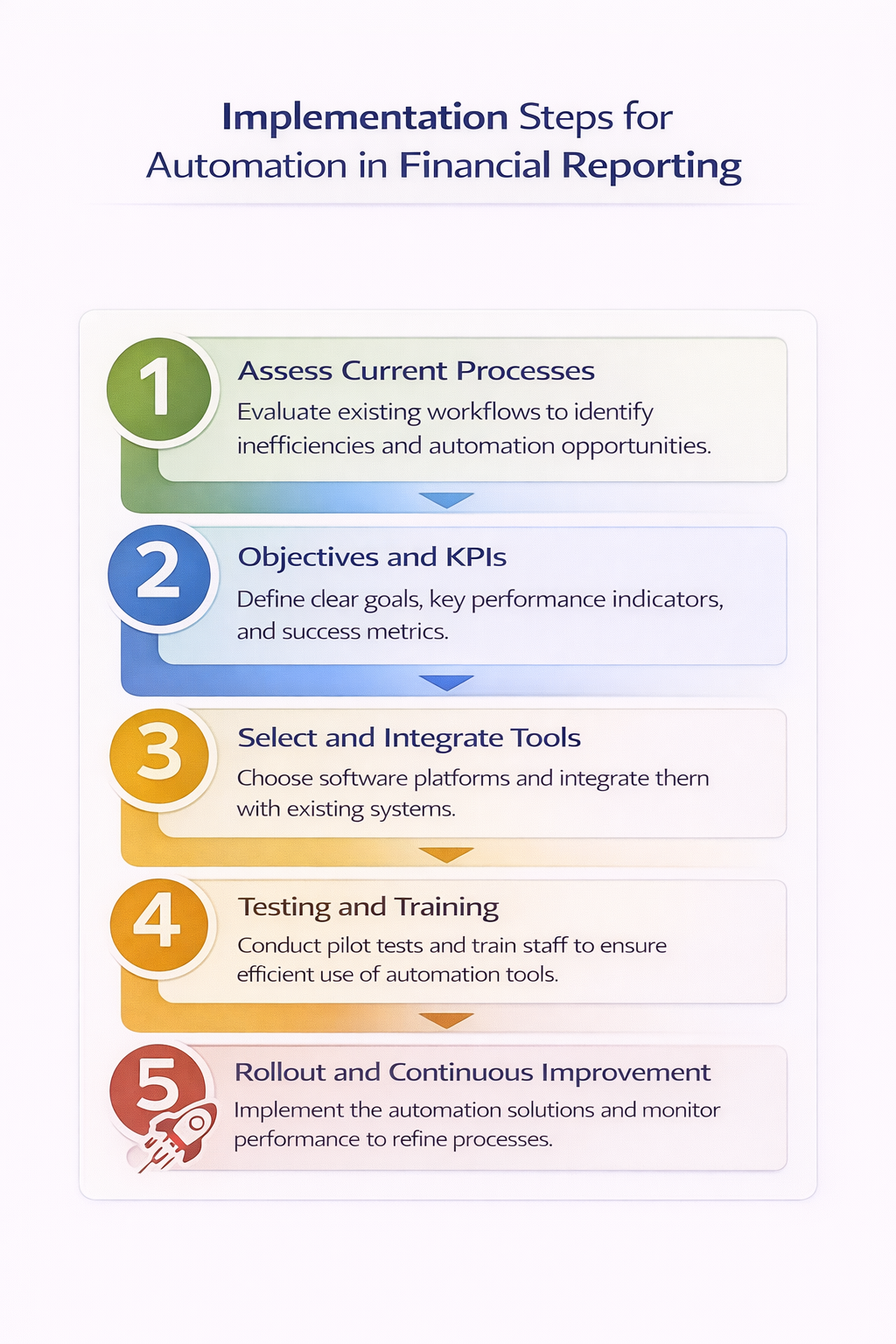
To implement automation of financial reporting, you need to start small, scale fast and measure wins along the way. This approach can help you cut risks and build team buy-in.
Step 1: Assess Current Processes
You can begin by mapping your manual steps and the pain points. Try to identify bottlenecks like endless reconciliations. To do this, you need to track data flows from the card gateways or bank feeds to the final report.
Step 2: Objectives and KPIs
You need to decide on clever goals that are in sync with reporting frequency and accuracy. You should aim for monthly closes in 2 days, instead of the generic 5 days. And always target 100% accuracy in reconciliations.
Some key KPIs you can include:
- Close cycle time (days)
- Manual hours per report
- The speed of exception resolution
Step 3: Select and Integrate Tools
Once your requirements are clear, you need to research tools that fit your stack. You need to plan integrations with ERPs and other payment systems, too. Make sure you prioritize APIs for all real-time pulls.
Step 4: Testing and Training
When exploring automation tools, run user acceptance testing (UAT) with real data. And parallelly run new vs. old processes to understand the difference the automation tool offers. After selecting the automation tool, you need to train your staff on dashboards and workflows by arranging hands-on sessions to build confidence.
Accordingly, you also need to assign roles, like who approves changes and how often reviews will happen.
Step 5: Rollout and Continuous Improvement
Rollouts should always be conducted in phases with one report type at a time. You need to monitor KPIs weekly, gather feedback, and refine during this rollout process.
{{banner3}}
What are Some Real-World Use Cases & Examples?
With the help of real-world examples, it becomes easy for you to understand how tools save time, improve accuracy, and solve daily pain points. Here are some examples to give you an idea of how automation is transforming financial operations.
Automation of Crypto Exchange
A fast-growing crypto exchange was dealing with high transaction volumes, multiple wallets, and complex fee structures. And it was hard to track breaks and exposures across assets with manual reconciliation processes.
By implementing Osfin, the exchange automated their end-to-end crypto reconciliation process. Osfin ingested data from different wallets and systems, standardized it, and matched transactions with 100% accuracy at scale to help teams resolve exceptions faster.
Automation of E-commerce Inventory
A D2C e-commerce brand was struggling to keep its inventory records in sync across different channels like sales, warehouses, and financial systems. And due to timing differences, stocks were mismatched and this led to revenue leakage and reporting gaps.
With Osfin, they automated their entire inventory reconciliation process. The platform pulled data from multiple sources and reconciled stock movements with 100% accuracy. This helped the brand tighten its financial reporting and reduce write-offs.
Automation of Loan Operations and Collections
A major Indian fintech was facing recurring transaction data mismatches. It manages loan disbursals and repayments across several banking partners.
Osfin automated their reconciliation process across loan ledgers, bank statements, and payment channels. It matched high volumes of transactions, flagged exceptions with clear reasons, and routed them to the right teams. This helped fintech achieve 90% reconciliation automation, faster closes, and more reliable reporting on loan portfolios.
Conclusion
Automating financial reporting eliminates inconsistencies and manual errors in the reconciliation process. This helps you to close books faster and with 100% accuracy so that your team can focus on strategy.
Automation tools come with built-in audit trails and secure workflows that unify operations across finance, treasury, and compliance teams while delivering data powered with actionable insights to help leadership make smarter, data-backed decisions.
So, are you ready to experience 100% accuracy in financial reporting? Schedule a free demo with Osfin today!
FAQs
1. What is automation of financial reporting?
Using technology, software and AI to streamline the collection, processing and generation of financial reports without human intervention is automation of financial reporting.
2. What financial reporting tasks can be automated?
Financial reporting tasks like data consolidation, bank reconciliation, and regulatory reporting can be automated.
3. How does automation help to improve compliance?
Automation improves compliance by replacing slow and error-prone manual tasks with accurate and traceable workflows. This facilitates real-time monitoring, reduces fines and risks, and makes your bank audit-ready.
4. What technologies can I use for automation in financial reporting?
AI and machine learning, Robotic Process Automation (RPA), and Natural Language Processing (NLP) are some of the technologies used in financial reporting automation.
5. What are the challenges of automating financial reporting?
Automating financial reporting comes with challenges such as high initial costs, integration issues with legacy systems, data security, compliance, and employee resistance.