What Is Account Reconciliation? Types, Steps & Benefits
TL;DR:
Account reconciliation is the process of checking if your numbers line up. It usually means comparing your general ledger with supporting documents like statements, invoices, or transaction reports.
There are different types of reconciliation - bank, vendor, customer, intercompany, general ledger, and payment gateway.
The process involves choosing the accounts to check, gathering data, comparing transactions, looking into any mismatches, and recording the findings.
Some best practices include focusing more on high-risk accounts, assigning clear ownership, maintaining proper documentation, and reviewing the process regularly.
Automation tools and platforms like Osfin can help reconcile large data sets, reduce manual mistakes, and maintain clear audit trails.
What is Account Reconciliation?
Account reconciliation means checking if two sets of financial records match. It involves comparing the balances in the general ledger with documents such as statements, invoices, or detailed transaction reports. The purpose is to confirm that the amounts recorded in the books are accurate and supported by valid documentation.
If there's a mismatch, you must identify the reason for the difference. It could be due to missing entries, duplicate postings, or simple human error. Once you know the reason, you can take the necessary steps to fix it.
Most people believe accounting reconciliation is limited to:
- Comparing spreadsheets
- Checking balances at month-end
- Doing a quick review during financial closing
While all of that is true, the modern accounting reconciliation process has become a lot more nuanced. Finance teams are now using accounting systems that directly integrate with their ERP platforms. This means they can reconcile accounting data regularly for accurate and reliable statements.
Why Account Reconciliation Matters in Enterprise Environments?
Large enterprises process thousands, maybe even millions of transactions each month. When you're dealing with such high volumes, even a small error can quickly grow into a serious issue.
For example, you may repeat a posting error across multiple entities, locations, or systems, ending up with a balance sheet that shows huge differences. What's worse is that you might not even be aware of the error until an audit or financial review.
Additionally, if you're making adjustments manually, you're only increasing the audit risk. If you're relying on traditional spreadsheets and late journal entries to fix mismatches, it can create gaps in documentation. No clear explanation of these adjustments can raise flags about internal controls.
More than that, it creates material exposure, affects the accuracy of your financial statements, and can lead to compliance risks.
Having a well-structured accounts reconciliation process prevents these problems.
How?
By:
- Ensuring accurate, reliable financial reporting
- Detecting errors or irregular transactions early
- Helping you stay audit-ready
- Supporting more confident decision-making
Types of Account Reconciliation
There are different types of reconciliation in accounting for different areas of your financial records. Some of the most common types include bank, vendor, customer, intercompany, general ledger, and payment gateway reconciliations.
1. Bank Reconciliation
Bank reconciliation compares your internal cash records with the bank statement. The goal is to check if the balance in your books matches the balance reported by the bank. It also helps you spot bank errors, unauthorized transactions, or internal recording mistakes. While most businesses perform bank reconciliations monthly, high-volume companies may do it more often.
2. Vendor Reconciliation
Vendor reconciliation focuses on accounts payable. It compares what your books say you owe vendors against the statements or invoices received from them. Vendor reconciliation checks for:
- Missing invoices
- Duplicate payments
- Incorrect billing amounts
- Unrecorded liabilities
This ensures your payables are correct and complete. It also helps avoid payment disputes and protects your relationship with suppliers.
3. Customer Reconciliation
Customer reconciliation focuses on accounts receivable. It compares your internal records of outstanding invoices with customer statements and payment records. This account reconciliation process helps you:
- Confirm if payments are applied correctly.
- Identify disputed invoices.
- Track overdue balances.
This gives you a clear view of who owes you money and for how long.
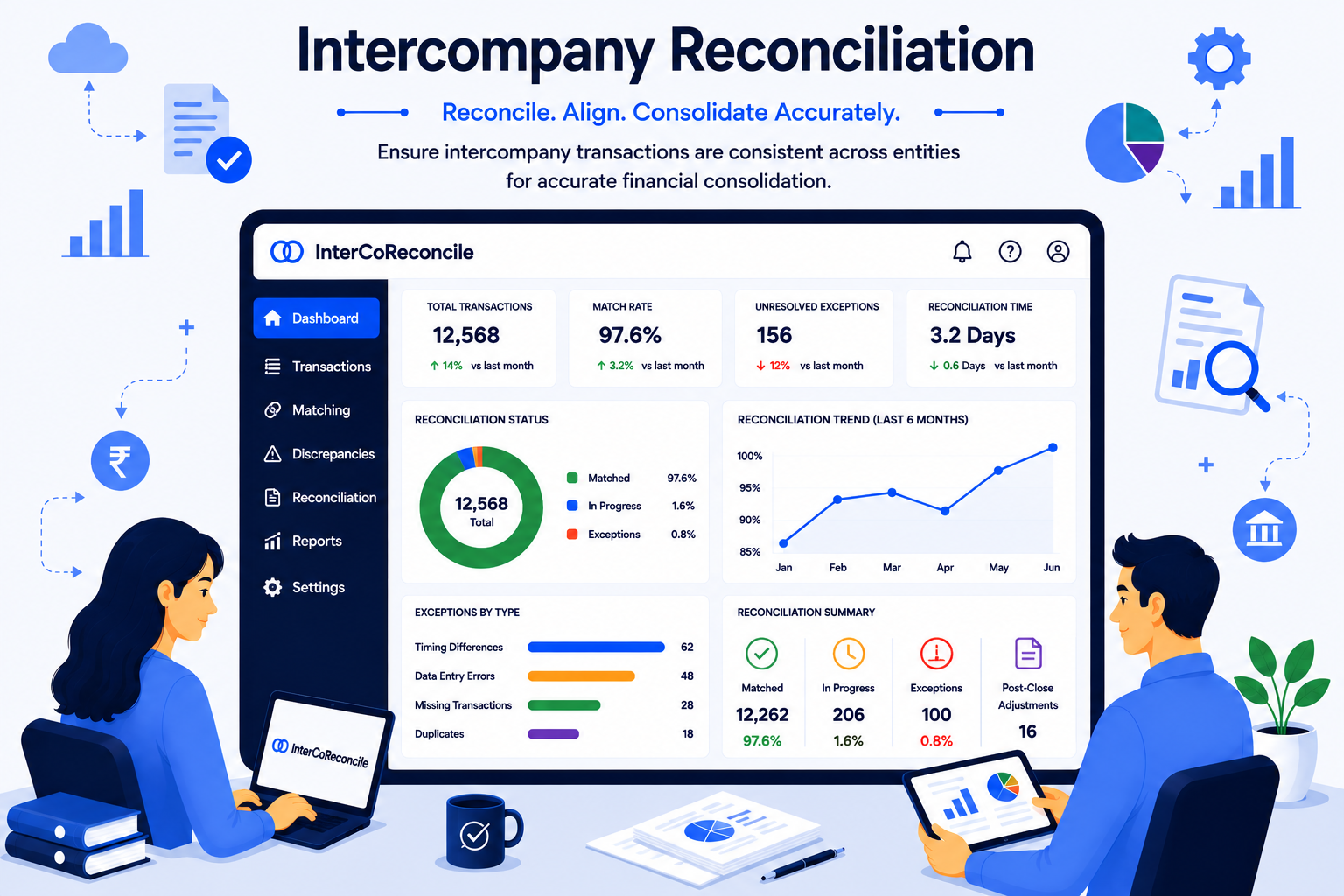
4. Intercompany Reconciliation
If your company has multiple entities, intercompany reconciliation becomes necessary. It involves comparing transactions recorded between related companies within the same group. For example,
- Loans between entities
- Shared service charges
- Inventory transfers
If one entity records a payable, the other should record the same amount as receivable. When both sides reflect the transaction properly, it helps avoid mismatches.
5. General Ledger Reconciliation
This forms the foundation of all other reconciliations. It involves checking each ledger account balance against supporting documents like invoices, contracts, or sub-ledgers. General ledger reconciliation helps you verify account balances and identify missing or incorrect entries.
6. Payment Gateway Reconciliation
Payment gateway reconciliation is for businesses handling online payments. It involves comparing transaction data from your payment processor with the deposits that show up in your bank account.
The process involves:
- Reviewing recorded online transactions
- Matching them with bank deposits after settlement
- Identifying missing, duplicate, or incorrect amounts
- Resolving differences with the processor or bank
Account Reconciliation Process (Step-by-Step)
The reconciliation process involves 5 steps. These are: identifying which accounts to reconcile, collecting data, matching transactions, investigating exceptions, and documenting the findings. Let's look at them in detail:
Step 1: Identifying Accounts to Reconcile
Start by identifying which accounts need review, such as cash, payables, receivables, or other ledger balances.
Note that not all accounts are complex. Some might need detailed transaction matching while others just need a quick balance check. Understanding the scope can help you avoid confusion.
Step 2: Data Collection and Aggregation
Once you know what to reconcile, gather supporting documents. For example,
- General ledger reports
- Bank or card statements
- Sub-ledger reports
- Invoices or contracts
Make sure all documents cover the same time period. You can create a checklist for each account to reduce errors and ensure consistency.
Step 3: Matching Transactions
Next, you can start comparing records. This can be done at a transaction level or at a balance level, depending on the account. Look for:
- Missing entries
- Duplicate transactions
- Incorrect amounts
- Timing differences
If there's any discrepancy, note it down clearly. If you're working with large volumes of data, you can use automated tools for matching transactions. However, you must still do a final manual review.
Step 4: Investigating Exceptions
Understand the reason behind the differences. It might be due to:
- Transactions recorded in different periods
- Data entry mistakes
- Unrecorded invoices
Review posting dates, supporting documents, and transaction details to identify the cause. If the issue is internal, correct it with a proper journal entry. If it is a timing difference, document it clearly as a reconciling item.
Step 5: Certification and Documentation
Once all differences are resolved or properly documented, verify if the final balance matches the supporting records. If it does, your reconciliation is complete.
Don't forget to document everything, including:
- The reviewed balance
- Details of discrepancies identified
- Adjustments made
- Supporting evidence
- Any open reconciling items
This will create a clear audit trail. You should also add certifications by the preparer and reviewer to confirm that the process was performed thoroughly.
{{banner1.1}}
Account Reconciliation Examples
Let's look at a simple example of reconciliation in accounting to understand how it works.
Say, Company A is reviewing its monthly bank reconciliation. The balance in its general ledger shows $10,500. However, the bank statement for the same period shows $10,200.
Since the balances don't match, the finance team begins investigating the difference. They find that:
- A $500 check issued to a vendor has not yet cleared the bank.
- A $100 bank service charge was deducted by the bank, but not yet recorded in the books.
- A $300 deposit made by a customer appears in the bank statement, but was not entered in the ledger.
Based on these findings, the team will adjust the ledger.
First, they account for the outstanding check. Since it has not cleared yet, it explains part of the gap between the book balance and the bank balance.
Next, they record the $100 bank fee as an expense in the ledger.
Then, they add the $300 customer deposit that was missing.
After adjusting for these items, the updated calculation comes to:
Start with ledger balance: $10,500
Subtract outstanding check: $500
Subtract bank fee: $100
Add customer deposit: $300
The revised balance now matches the bank statement - $10,200.
Once the balances match, the company adds the necessary journal entries in the general ledger.
Common Account Reconciliation Risks
Even with a structured reconciliation process, you could run into some risks. For example, working with aged items, manual adjustments, high exceptions, etc.
1. Aged Reconciling Items
These are differences that remain unresolved across different periods. The longer they stay open, the trickier they can be to investigate. Over time, you may also lose supporting documents and context, making it harder to reconcile items.
2. Unsupported Manual Adjustments
If you're only posting journal entries to force balances to match, you're creating audit exposure. Every adjustment you make should be backed by clear documentation and explanation. Otherwise, these entries can weaken trust in the numbers.
3. Spreadsheet Version Conflicts
The biggest drawback of using spreadsheets is that you can end up with multiple versions of the same account. This increases the risk of someone mistakenly working on an outdated file. Plus, since spreadsheets provide limited tracking, errors can easily slip through.
4. Incomplete Coverage
In companies with multiple systems or entities, it can be tricky to check if every account has been reconciled. If an account is skipped or reviewed superficially, errors may go unnoticed.
5. High Exception Volumes
A large number of errors can overwhelm finance teams. The burden is even more during close cycles. This can result in oversight or incorrect adjustments.
6. Homegrown Reconciliation Systems
Custom-built or disconnected systems generally do not have strong controls and audit trails. This can limit visibility, making it harder to trace and resolve discrepancies.
7. Segregation of Duties Issues
If you have just one person to prepare, review, and approve reconciliations, errors or manipulation may not be detected. Therefore, it's best to have a clear separation of responsibilities to strengthen internal controls.
Improving Account Reconciliation Before Automation
Before investing in automation tools, focus on strengthening the foundation. Standardize policies and documents and define duties to reduce confusion and implement technology seamlessly.
1. Standardizing Reconciliation Policies
Start by mapping out how reconciliation should be performed across the organization. Every account should follow a consistent method. This includes setting:
- The frequency of reconciliation
- The steps to be followed
- Deadlines for completion
- Reconciliation template format
When you define and follow a systematic process, everyone knows what to do. This reduces confusion and mistakes and helps you compare results across periods more easily. You should also review and update your policies regularly so they reflect changes in risks or transaction patterns.
2. Defined Ownership and Segregation of Duties
Reconciliation should not be a one-person activity. Defining different roles can help you strengthen internal control and reduce the risk of mistakes or manipulation.
Assign:
- One person to perform the reconciliation
- One to review
- One to approve the final statement
3. Documentation and Evidence Standards
Lay down a standard practice for the supporting documents. For example, they should show what was reviewed, what differences were found, and how they were resolved.
Consistent documentation can help you create accountability and make audits easier to handle. Clear records also allow anyone to verify balances without relying on memory or informal explanations.
Role of Automation in Account Reconciliation
When you have a large volume of transactions to work with, handling account reconciliations manually can get pretty overwhelming. Automation can help you add more structure, speed, and visibility to the process. Here's how it helps:
1. Automated Data Ingestion
The first step in automation is bringing all relevant data into one controlled system. This includes your general ledger, bank statements, supporting schedules, etc.
Instead of downloading files manually, the system fetches the data directly from the original source. This ensures there's zero confusion between different file versions and the team is working with consistent information.
2. High-Speed Transaction Matching
Transaction matching is often the most time-consuming part of reconciliation. However, automation can compare large volumes of transactions within seconds.
The system can:
- Match transactions based on amount, date, or reference number.
- Identify exact matches automatically.
- Flag unmatched items for review.
This means what once took hours of sifting through rows upon rows of a spreadsheet can now be completed quickly. As a result, the financial close process becomes a lot faster.
3. Structured Exception Workflows
Not all transactions will match perfectly. Differences and exceptions still occur. Automation organizes these exceptions into clear workflows and assigns them to the right team member.
As a result, instead of unresolved items sitting unnoticed in spreadsheets, every open issue has more visibility. This makes it easier to track ageing items and ensure timely resolution.
4. Enterprise Controls and Audit Logs
Automation provides better control and documentation. The system tracks every step, including who prepared the reconciliation, who approved it, and what changes were made.
These audit logs maintain a digital record, helping auditors see how mistakes were handled.
How Platforms Like Osfin Support Enterprise Reconciliation
When you're dealing with multiple systems, different formats, and millions of transactions, reconciling accounts manually becomes unsustainable. You need a solid reconciliation platform that is built exclusively for such needs.
Osfin helps you streamline reconciliations across payments, financial, and account-level workflows. Here's how:
1. Importing Data
Osfin offers over 170 integrations and is file format agnostic. That means you don’t have to reformat your data before uploading. When you upload, the system also standardizes the data so it’s consistent across reconciliations. It also applies custom deviation tolerances to filter poor-quality data, duplicate records, and outliers.
2. Reconciliation Process
Once data is ingested and cleaned, Osfin performs logic-based matching.
It can handle:
- One-to-one matches
- Many-to-one transactions
- One-to-many transactions
- Multi-way reconciliations (two-way, three-way, four-way, and five-way)
Osfin can reconcile up to 30 million records in 15 minutes. It also auto-reconciles payment gateway reports that include commission, tax, and fee breakdowns.
3. Exception Handling
When transactions remain unmatched, Osfin automatically flags them and assigns an accurate reason. These unmatched transactions are then routed to the appropriate internal or external stakeholder through its ticketing and exception handling engine.
This helps teams track resolution status through live dashboards that show match status, exposure, and open exception queues.
4. Output
After reconciliation and exception handling, Osfin delivers a compliance-ready report with complete traceability and transaction history.
Osfin protects data using 256-bit encryption, maker checker controls, role-based access, and two-factor authentication. It also complies with SOC 2, PCI DSS, ISO 27001, and GDPR rules.
{{banner1}}
Account Reconciliation Best Practices
Here are some best practices for an efficient accounts reconciliation process:
1. Risk-Based Prioritization
Some accounts involve high transaction volumes. Others are material to financial reporting or exposed to fraud risk. So, group them based on the transaction volume, complexity, and their effect on financial statements.
Reconcile high-risk accounts more frequently. This will let your team focus on tasks where errors would be costlier.
2. Continuous Reconciliation for High-Volume Accounts
For accounts with heavy activity, don't wait till month-end. This is because differences can accumulate quickly and become harder to resolve.
High-volume accounts should also be reconciled more often. Set a clear schedule and fix a review deadline to avoid last-minute stress.
3. Automation-First Approach
Manual reconciliation works okay on a small scale. However, as the volumes increase, managing reconciliations with just spreadsheets can get pretty tough.
Using reconciliation software can help you pull data automatically, match transactions faster, and focus attention on exceptions.
4. Exception Root-Cause Analysis
Unmatched items should not simply be cleared. You need to understand why they happened. Look for patterns like duplicate entries, posting mistakes, etc.
If you don't address them, you risk repeating the same discrepancies each period. So, identify and fix them quickly to avoid issues in the future.
5. Regular Internal Audit Alignment
You must review your reconciliation process from time to time. Look for control gaps, documentation weaknesses, or inconsistent practices.
By checking in periodically, you keep the process compliant, well-controlled, and prepared for external audits.
Enterprise reconciliation platforms like Osfin make account reconciliations a lot easier. From data ingestion to transaction matching, it helps you automate the process end-to-end and only involve your team when needed.
Book a free demo to see Osfin in action today.
FAQs
1. What is account reconciliation?
Account reconciliation is the process of making sure two sets of financial records match up. It involves comparing the balances in your general ledger with supporting documents like statements or transaction records.
2. What does it mean to reconcile accounts?
Reconciling accounts is to check the records to make sure they match. If they don’t, you need to find the reason and correct the records.
3. Why is reconciliation important in accounting?
Reconciliation keeps your financial statements accurate. It helps catch mistakes early, lowers audit risks, prevents reporting problems, and helps you make better decisions.
4. What are the types of account reconciliation?
The types of account reconciliation include:
- Bank reconciliation
- Vendor reconciliation
- Customer reconciliation
- Intercompany reconciliation
- General ledger reconciliation
- Payment gateway reconciliation
5. How often should accounts be reconciled?
Most businesses reconcile accounts monthly. However, high-volume or high-risk accounts should be reconciled more frequently.
6. What causes reconciliation discrepancies?
Reconciliation discrepancies may be caused by missing transactions, duplicate entries, data entry mistakes, or timing differences.
7. Can reconciliation automation reduce audit risk?
Yes. Automation can reduce audit risks by preventing manual errors, creating audit logs, and improving documentation.
8. What is the difference between reconciliation and accounting?
Accounting is the process of recording financial transactions. Whereas, reconciliation checks if those recorded transactions are accurate and complete.