How to Build a Reconciliation Audit Trail
Key notes:
- A reconciliation audit trail records every action taken during the reconciliation process.
- Audit trail entry must capture who performed the action, when it was performed, who reviewed and approved it, and what changed.
- Auditors look for completeness, accuracy, evidence of review, segregation of duties, change history, and exception resolution records in a trail.
- Shared logins, overwritten entries, missing approvals, and undocumented exceptions are the most common audit trail failures.
A reconciliation audit trail is all about what goes on in your reconciliation process. That covers who performed each action, what was matched, what was flagged, and who signed off.
That way, when a discrepancy surfaces or a regulator asks questions, it's the only thing that can prove the process was done exactly as it should’ve been.
Without it, even a technically correct reconciliation has no defence. Numbers can be right and still fail an audit if there's no record of how they got there.
What Should an Audit Trail Capture?
A reconciliation audit trail won’t hold up under scrutiny if it can't answer basic questions about who did what and when, whether that's an internal review or a regulatory inquiry. That means the following four things are non-negotiable:
Who performed the action: Every transaction, adjustment, or matching decision needs to be tied to a specific person.
When was it performed: A precise timestamp on every action creates the chronological backbone of your trail.
Who reviewed and approved it: The reviewer or approver, along with their ID and the time of approval, is equally important. Especially for manual overrides and adjustments.
When changes were made and what changed: Any alterations to an existing entry must be recorded separately. The trail should show every state it passed through.
What Auditors Look for in a Reconciliation Audit Trail
When auditors examine your reconciliation records, they are actually assessing how sound your methodology was, which they do by analyzing:
1. Completeness
Every transaction in the period should appear in the trail. Be it posted, matched, or flagged as an exception. Gaps are immediately suspicious. Completeness also extends to supporting documents. An entry without an attached invoice, payment record, or source reference is an incomplete entry.
2. Accuracy
The recorded details must match the underlying documents. Amounts, dates, account codes, and party names should be consistent across the ledger entry, the supporting document, and the audit trail record.
3. Evidence of review
Auditors want to see that each reconciliation cycle had a designated reviewer. And that the review actually happened within a reasonable timeframe.
4. Segregation of duties
The person who records a transaction shouldn’t also approve it. Similarly, the person who performs the reconciliation should not be the only one reviewing it.
5. Change history
Auditors pay close attention to alterations. A clear before-and-after record for every change must be provided.
6. Exception resolution records
Unmatched items and flagged discrepancies are expected in any reconciliation. What auditors want to see is that exceptions were investigated and closed properly. An exception list with no commentary suggests the reconciliation was left incomplete.
Audit Trail for Different Reconciliation Types
Since there are different types of reconciliations, there are also different requirements for their audit trail. But the core principles like user attribution, timestamps, change history, and exception records apply in all of them. Let’s take a deeper look at this.
Bank Reconciliation Trail
Bank reconciliation trail must show how transactions were matched between the CBS and other third-party sources. Along with that, it should have the matching method, user, and timestamp. Unmatched items should include documented reasons and resolutions.
Accounts Receivable (AR) Aging Trail
The Accounts Receivable aging trail should track invoices, payments, credit notes, write-offs, and all changes affecting outstanding balances. It must also preserve aging classifications at each period end and record reviewer approvals.
Accounts Payable (AP) Aging Trail
AP audit trails prevent duplicate, unauthorized, or unsupported payments. Each payable should include evidence of the three-way match between the purchase order, goods receipt, and vendor invoice.
Loan Reconciliation Trail
Loan reconciliation trails should show how opening balances, repayments, interest, fees, and other movements lead to the closing balance. Transactions must be linked to supporting documents like lender statements, repayment records, or drawdown notices.
How to Build a Reconciliation Audit Trail
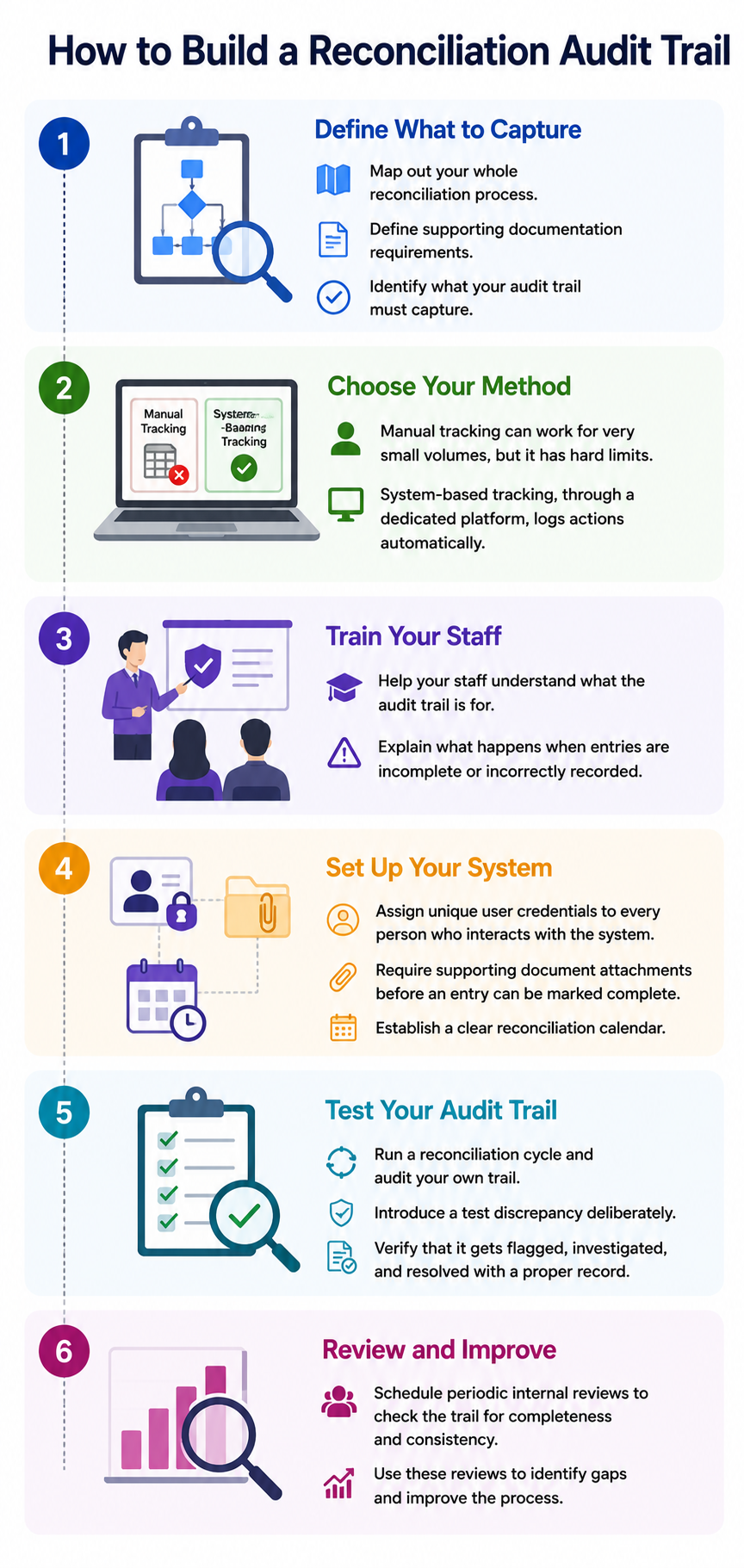
Follow these steps in order to design, implement, and maintain your reconciliation audit trail from the ground up:
1. Get clear on what your audit trail needs to capture. Map out your whole reconciliation process. Also, define your supporting documentation requirements at this stage.
2. Choose your method. Manual tracking can work for very small volumes, but it has hard limits. System-based tracking, through a dedicated reconciliation platform, logs actions automatically.
3. You need to train your staff. And your staff should understand what the audit trail is for and what happens when entries are incomplete or incorrectly recorded.
4. Next, assign unique user credentials to every person who interacts with the reconciliation system.
Configure your system to require supporting document attachments before an entry can be marked complete. And then establish a clear reconciliation calendar.
5. Before relying on your audit trail for real reporting periods, test it. Run a reconciliation cycle and then audit your own trail.
You can also deliberately introduce a test discrepancy and verify that it gets flagged, investigated, and resolved with a proper record.
6. Schedule periodic internal reviews where someone checks the trail for completeness and consistency. Use these reviews to improve the process.
{{banner1}}
Common Audit Trail Mistakes
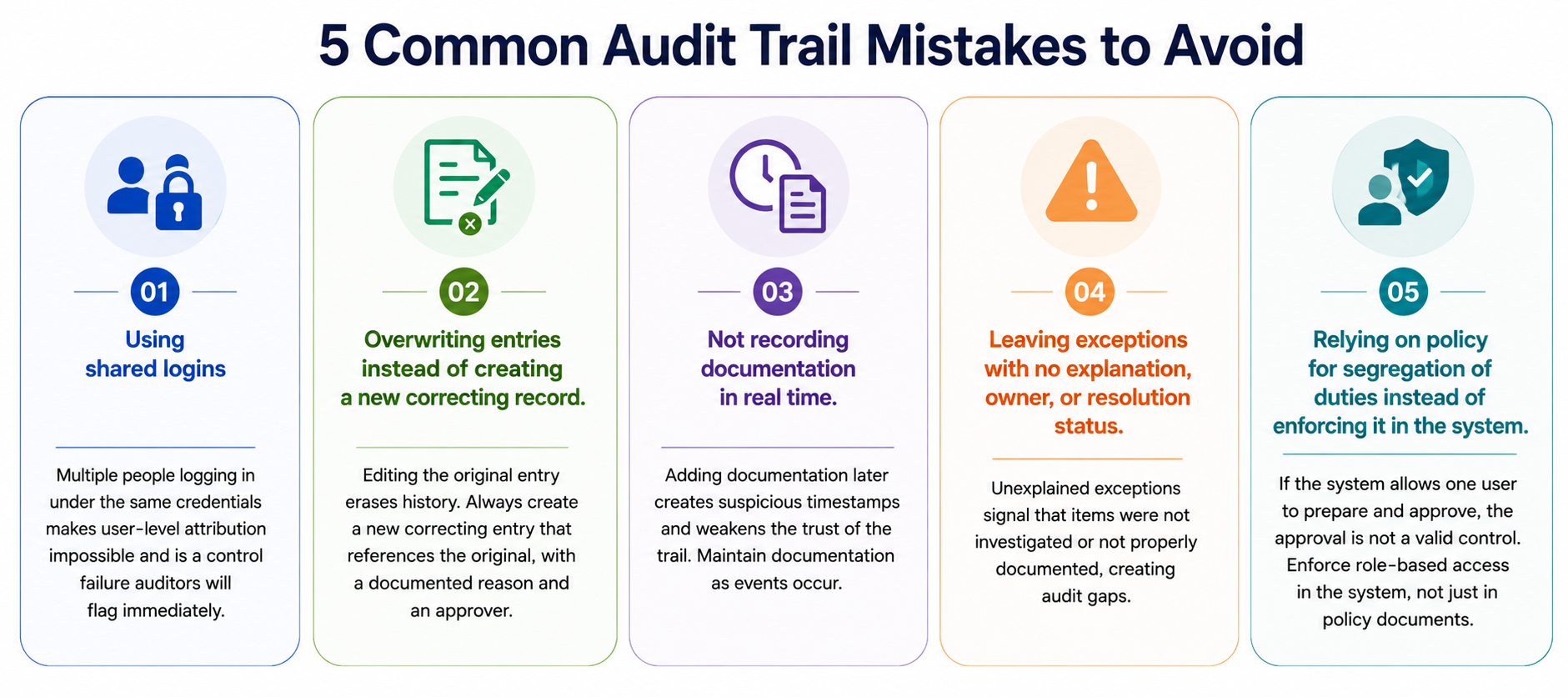
Most audit trail reconciliation failures aren't caused by complex technical breakdowns. They stem from process habits that seem harmless day to day but create serious problems the moment someone looks closely, such as:
1. Using shared logins
When multiple people log into a reconciliation system under the same credentials, user-level attribution becomes impossible. Every person who touches reconciliation data needs their own unique login. Shared accounts are often a convenience workaround, but they're a control failure that auditors will flag immediately.
2. Overwriting entries instead of amending them
Correcting an error by editing the original entry directly destroys the history of what was there before. Make a new correcting entry that references the original, with a documented reason and an approver.
3. Assembling documentation after the fact
Reconciliation happens, but the supporting paperwork gets filled in later, sometimes days afterwards. Timestamps that cluster suspiciously around one date, commentary that describes events in the past tense, sign-offs that predate the actual review, these are all signs that the trail was constructed rather than maintained.
4. Leaving exceptions without commentary
An unmatched item with no explanation attached is not a minor omission. It signals that the exception was noticed but not investigated, or investigated but not documented. Either way, it's a gap.
5. No segregation of duties in the system
Having a policy that says preparers and approvers should be different people means nothing if the system doesn't enforce it. If a user can both perform a reconciliation and mark it as approved under their own ID, the approval record is worthless as a control. Role-based access controls need to be configured in the system itself, not just described in a policy document.
{{banner1.1}}
Best Practices for Building Reconciliation Audit Trail
Getting audit findings on your trail usually means something in the process broke down. These practices are what stop that from happening in the first place:
- Assign unique credentials to every user
- Log actions in real time
- Make records immutable
- Attach supporting documents at the point of entry
- Separate the preparer and approver roles in the system
- Give every exception a written status
- Set a clear reconciliation calendar
- Keep a change log for process and system updates
Summing Up
A reconciliation audit trail is only useful if it's built right. Getting there manually is difficult. Maintaining it at scale is even harder.
Osfin handles the entire audit trail on its own without any manual intervention. Match decisions, adjustments, exceptions, and approvals are logged with a timestamp. Role-based access and maker-checker workflows support complete segregation of duties.
What's more, every reconciliation run creates a compliance report with full transaction traceability that is secured with 256-bit encryption and compliant with SOC 2, PCI DSS, ISO 27001, and GDPR.
Not just audit trails, Osfin automates the full reconciliation workflow, from ingesting data across 170+ integrations in any format to logic-based matching across two-way through five-way reconciliations to exception handling that flags, routes, and resolves unmatched transactions without manual triage.
{{banner2}}
FAQs
1. What's the difference between an audit trail and reconciliation documentation?
Reconciliation documentation covers the process and its outputs. An audit trail specifically tracks every action taken during that process in real time.
2. Why do auditors care so much about segregation of duties?
Because when the same person prepares and approves a reconciliation, there's no independent check on their work. Auditors treat it as a control failure.
3. Can a spreadsheet maintain a proper audit trail?
Not reliably. Spreadsheets don't log who changed a cell or when. Entries can be overwritten without any record of what was there before. For anything beyond very low volumes, the trail will have gaps.
4. What happens if exceptions disappear between periods with no resolution record?
Auditors treat it as a serious control weakness. Every closed exception needs a documented resolution that covers what was found, what action was taken, and who signed off on it.