Month-End Close Checklist: A Complete Step-by-Step Guide
Banks and financial institutions have to work under constant pressure to close their books on time. But with the help of a systematic and structured close, banks can build trust with regulators and stakeholders. This includes timely and error-free reconciliation that involves minimal manual operations to avoid delays and errors in this process.
However, for large volumes of transaction data, you need a solid month-end close checklist to ensure compliance and efficiency, along with a reliable automation tool.
In this article, you'll get a complete month-end close checklist to avoid pain points and explore automation benefits. Plus, you can download a free Excel template to streamline your close process!
1. Pre-Close Preparation
Treasury teams at banks and financial institutions need to kick off the month-end close with smart preparation.
- You should start by collecting transaction data from sources like bank and credit card statements. Then, verify dates for the period you are covering in the month-end close process. This is a routine process for card providers, who reconcile transaction logs received from Visa and Mastercard with their internal ledgers.
- For all the pending invoices and receipts, you must reach out to vendors and departments. All expense reports and approval chains should be scrutinized for any unmatched transactions. Banks deal with high-volume AP/AR, so you need to prioritize accruals for the services that are received but not yet billed.
- Once you have confirmed all the opening balances and prior month corrections, run trial balances from your ERP or general ledger. This exercise is to cross-check records against the last close's ending figures.
You can categorize files into statements, invoices, journals, and approvals. Also, attach screenshots or emails for proof. This helps build an audit trail from day one.
2. Record All Transactions
After you have prepared and cleaned the data for reconciliation, the next step is transaction recording. You need to consider every logged sale, expense, and payment from the month.
- Banks track payments from loans, fees, and services in the form of customer invoices and receipts. You can start by logging in all such sales and revenue records and matching expected receipts against bank deposits to check accounts receivable ageing reports. If your team spots any overdue items over 30 days, and if the balances are large, then follow up right away to keep the cash flow visible.
- Next, move on to expenses and payables. Enter supplier and vendor bills into the system and verify amounts against respective purchase orders. Also, gather every expense report from staff, such as travel, client meals, and software fees. Don't skip petty cash or miscellaneous entries, as they are necessary in reconciliation against bank statements.
- In the end, you have to update all the entries to the general ledger. You can use batch uploads for high-volume transactions. Make sure to double-check totals against source docs and flag any gaps for review.
If your team is performing manual checking, it is a good practice to have them work in pairs for big entries. As one person posts, and the other approves, there’s a lower risk of error. Plus, you can complete this step faster.
{{banner1}}
3. Reconcile Accounts
In this step, you need to perform transaction-matching to filter out unmatched and error-prone records from the accounts. Banks and card providers handle massive transaction volumes, so precision is crucial here.
- Pull statements from all bank and cash accounts and match every line to the general ledger. Line up deposits, withdrawals, fees, and interest and also check wires, ACH, and gateway payouts. Make sure you are investigating and resolving all discrepancies early, as even a small difference might signal a missed fee or a duplicate that needs to be removed.
- In the next step, reconcile AR sub-ledgers against the general ledger for accounts receivable and payable. Make sure that all customer payments are linked to the right invoices, and make adjustments for unbilled services or late bills. For AP, match vendor payments to bills.
- Similarly, you need to reconcile credit cards and lines of credit by matching statements to expense logs and merchant fees. Card providers also need to verify interchange and chargebacks. And if you have an inventory, you also need to run system checks for it.
Another good practice is to use side-by-side sheets for visuals and post adjustments as journal entries. Before finalizing the adjustments, ensure approvals and train your team to document every variance with notes and attachments.
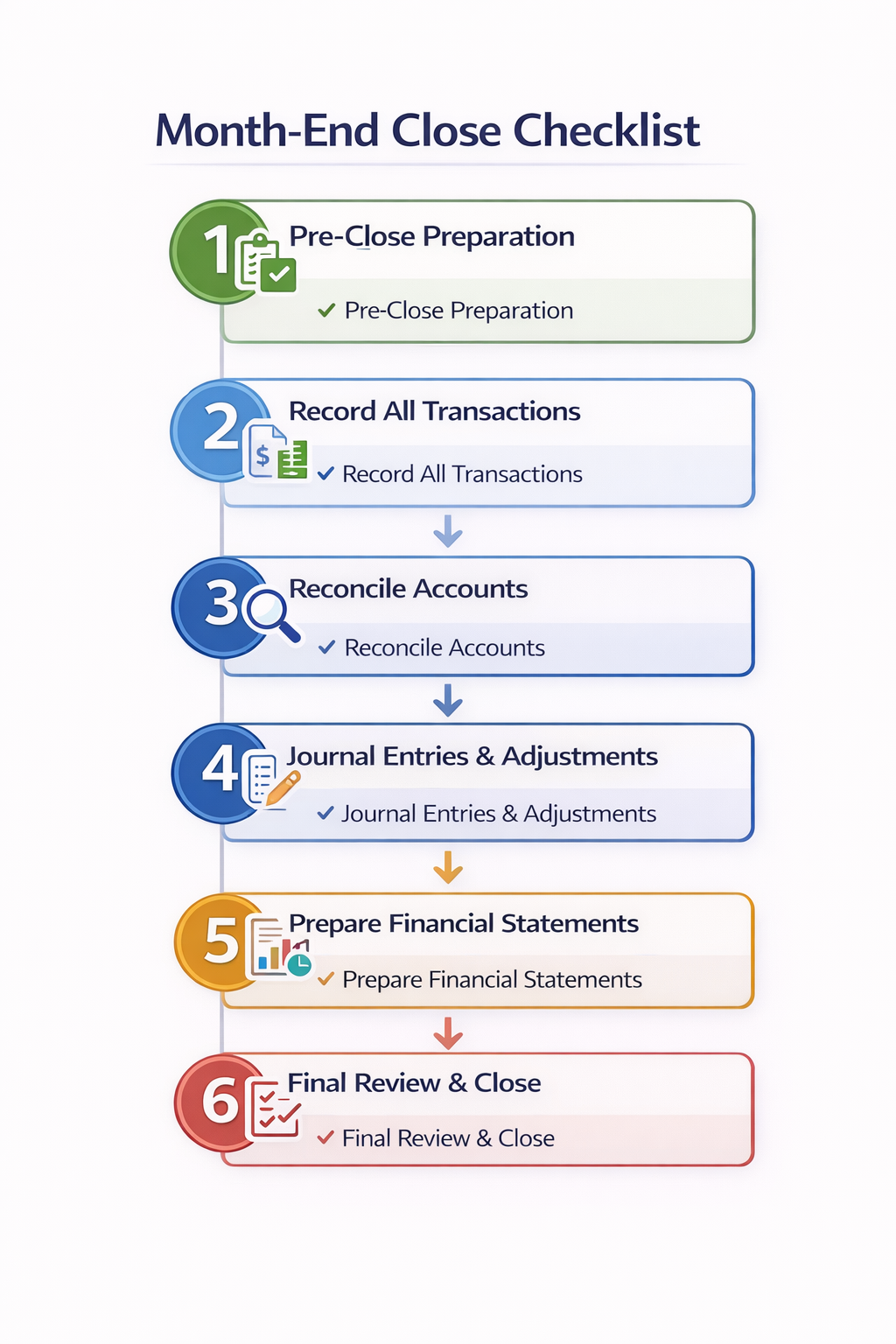
4. Journal Entries & Adjustments
After you wrap up reconciliations, post all adjustments and fixes in the books to ensure clean entries for accurate financial reporting.
You can start with accruals to record expenses owed but not yet billed. This category will include late-month utilities, salaries, or vendor services. Calculate amounts from contracts or usage data, and then debit the expense account and credit payables. This approach is necessary to match costs to the correct period.
And for the income earned but not invoiced, you need to perform revenue recognition. All the banks record loan interest and service fees at this stage, so you need to follow ASC 606 guidelines to time entries properly. Here are some essential adjustments to complete each month:
- Revenue recognition: Record income received from loan interests and bank advisory fees. And follow standard accounting rules to time these entries correctly.
- Depreciation: Using either the straight-line or declining balance method, spread fixed asset costs like equipment over useful life.
- Amortization: Handle intangible assets like software licenses by reviewing schedules monthly and updating estimates as needed.
Train your teams to prepare entries in batches, one person drafts, while the other reviews before the management approves the process. Also, attach support like calculation sheets or emails to ensure traceability in audit trails. After the sign-off, you can update the changes to the general ledger.
{{banner2.1}}
5. Prepare Financial Statements
Once all adjustments are done, you need to prepare reports that include the balance sheet, income, and cash flow statement. Banks and card providers rely on this data for internal reviews and effective decision-making.
- List assets, liabilities, and equity for the particular period and confirm if everything balances. For this, you need to verify the cash amounts against reconciled bank accounts, while, in parallel, accounts receivable and payable are checked against their subledgers.
- Loans receivable, deposits, and other balances also need to undergo careful review to ensure liabilities and equities sum up to the total number of assets.
- The prepared income statement clearly shows revenues minus expenses to arrive at net income. For this, teams use data such as sales, interest income, and fees, and subtract operating costs, provisions, and taxes. The final net income is then linked back to retained earnings.
- In the end, you have to create the cash flow statement that includes operating, investing, and financing activities and adjust for non-cash items like depreciation and provisions.
- Before finalizing the reports, review everything for accuracy. Compare current results with previous months to spot unusual changes in revenue or expenses. At the same time, investigate variances above the set percentage. You also need to validate key ratios, such as the current ratio, debt-to-equity ratio, and return on equity ratio. Once everything is clear and approved, the CFO signs off on the reconciliation process.
6. Final Review & Close
The final review is more like an internal audit to double-check the work and lock the books. This step is essential for banks and card providers as it prepares them for audits and ensures they meet compliance.
- The internal review comes first. A second reviewer is assigned to recheck all reconciliations, including accounts receivable and payable, and journal entries. This is a final check for any missed calculation errors or incomplete explanations.
- In the official sign-off, the CFO reviews each major area using standardized checklists. Key reports, such as the balance sheet, are approved digitally, and every approval is documented for a clear audit trail.
Once all approvals are complete, the accounting period is locked in the system, the month is marked as closed, and balances are rolled forward to the next period.
Automate Your Month-End Close with Osfin
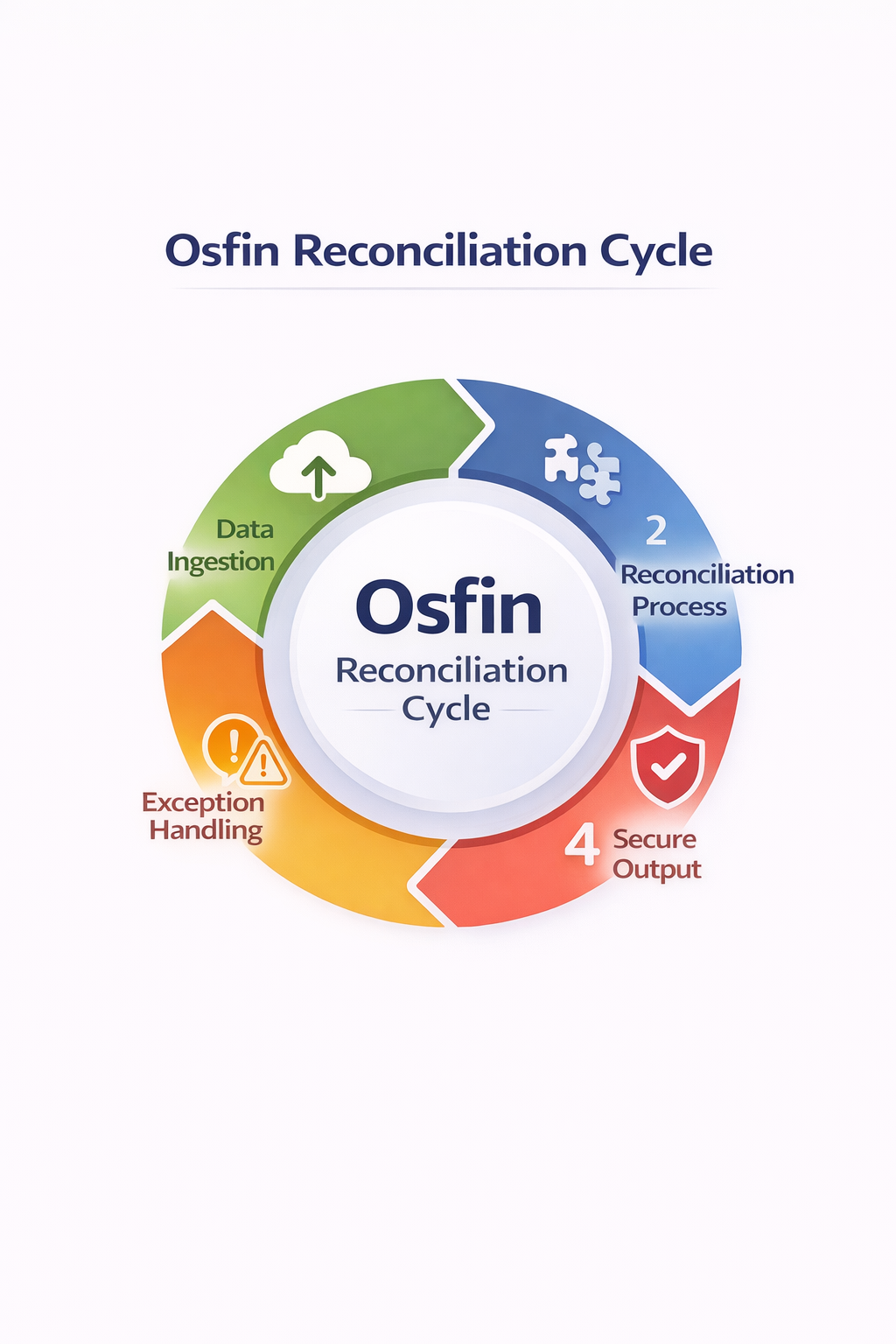
Banks and financial institutions have to handle large volumes of transaction data during reconciliations. But manual processes are prone to error and can create bottlenecks. Osfin solves this with end-to-end automation built for financial institutions.
- Osfin is a file-format agnostic platform that supports over 170 integrations to import data from multiple sources, irrespective of the format. It also applies custom deviation tolerances during ingestion to filter out poor-quality data, outliers, and duplicates before the reconciliation process begins.
- For automatically matching transactions, Osfin uses logic-based matching and supports even 2/3/4/5 way reconciliations. Osfin can reconcile 30 million records in 15 minutes with 100% accuracy. Its exception handling automatically flags unmatched transactions with accurate reasons before routing them to the responsible team for resolution. Osfin's live dashboards also show match status, exposure, and exception queues in real-time.
- Osfin implements security measures to keep all your transaction data safe with 256-bit encryption, role-based access, and two-factor authentication. It also complies with global standards like SOC 2, PCI DSS, and GDPR requirements.
Conclusion
You need a structure for a successful month-end close. A proper step-by-step guide for reducing errors, speeding up reporting, and meeting compliance. Month-end close helps you gain clear visibility into the numbers, which helps leaders make better decisions that are backed by accurate and well-documented books.
Consistency is what makes the process work. So make sure every file, entry, and approval is tagged with accurate dates and owners. This approach is beneficial for creating a strong audit trail and makes each future close smoother and faster.
Download your free month-end close checklist now and schedule a demo with Osfin to automate the reconciliation process!
FAQs
1. What is a month-end close?
Month-end close is an important accounting process in which you finalize a company's financial records for the past month. In this process, you need to collect, review, and reconcile all transactions from different sources for accuracy.
2. How long should the month-end close process take?
The month-end close process should ideally take 3 to 7 business days, but with the help of automation, you can close your books within 3 to 5 days.
3. What tasks are mandatory in every month-end close?
Data gathering, verification, reconciliation, adjusting entries, and documenting financial statements are mandatory in every month-end close.
4. Can automation improve the month-end close?
Yes. Automation replaces slow and error-prone manual tasks with accurate and fast workflows. It significantly reduces the total time taken to close the books.
5. What are common month-end close mistakes?
Manual data entry errors, poor process definition, and missed reconciliations are some common month-end close mistakes.