ReconArt Review: Features, Pros, Cons & Use Cases
TL; DR
- ReconArt is a solid choice for finance teams that follow structured, period-end reconciliation processes and need compliance support. It works well for multi-entity setups and traditional close cycles.
- But for teams handling high transaction volumes, messy data, and daily reconciliation needs, it can feel slow and dependent on IT.
- Osfin is built for that pace, offering fast processing, flexible data handling, real-time visibility, and full control for finance teams without relying on IT.
- ReconArt is a well-established reconciliation platform used by finance teams across various use cases. It handles a broad range of reconciliation types, from intercompany and securities to financial close management and journal entry controls, within a single, web-based system.
- For teams with structured, period-end workflows and compliance requirements like SOX, it covers a lot of ground.
- But not every finance team operates within those boundaries. With transaction volumes on the rise every day, data sources multiply, and reconciliation shifts from a monthly exercise to a daily operational need. Some teams find that ReconArt's design does not fully stretch to meet them.
- Here we’ll do a ReconArt Review. What it offers, what are its limitations, and what can be a better ReconArt alternative.
What is ReconArt?
ReconArt is an enterprise-grade, centralized reconciliation platform that unifies different categories of reconciliation and financial processes under the ambit of a single dashboard. Under reconciliation, data is ingested from several sources and verified. In case of errors, resolution takes place, and detailed reports are created of the entire process that support audits and compliance.
Key ReconArt Features
The main purpose of the platform is to perform reconciliation at scale. The key features that aid in this purpose include:
1. Transaction matching: ReconArt compares records across systems and supports complex matching scenarios, one-to-many, many-to-many, multi-currency, across high transaction volumes.
2. Exception management: When something doesn't add up, the system flags it, categorizes it, and routes it through a resolution workflow.
3. Document processing: ReconArt IntelliDoc uses OCR and AI to extract data from invoices and statements, with templates configured to each customer's workflow.
4. Compliance support: The platform accommodates SOX requirements, FCA-mandated reconciliations, and banking-specific file formats such as CSV, XLSX, BAI, or ACH.
5. Tiered editions: Comes with four plans: “Essentials” for small teams, “Plus” for larger ones, “Certify” for period-end balance sheet reconciliation, and “Close” for teams that need financial close management modules.
ReconArt Pros
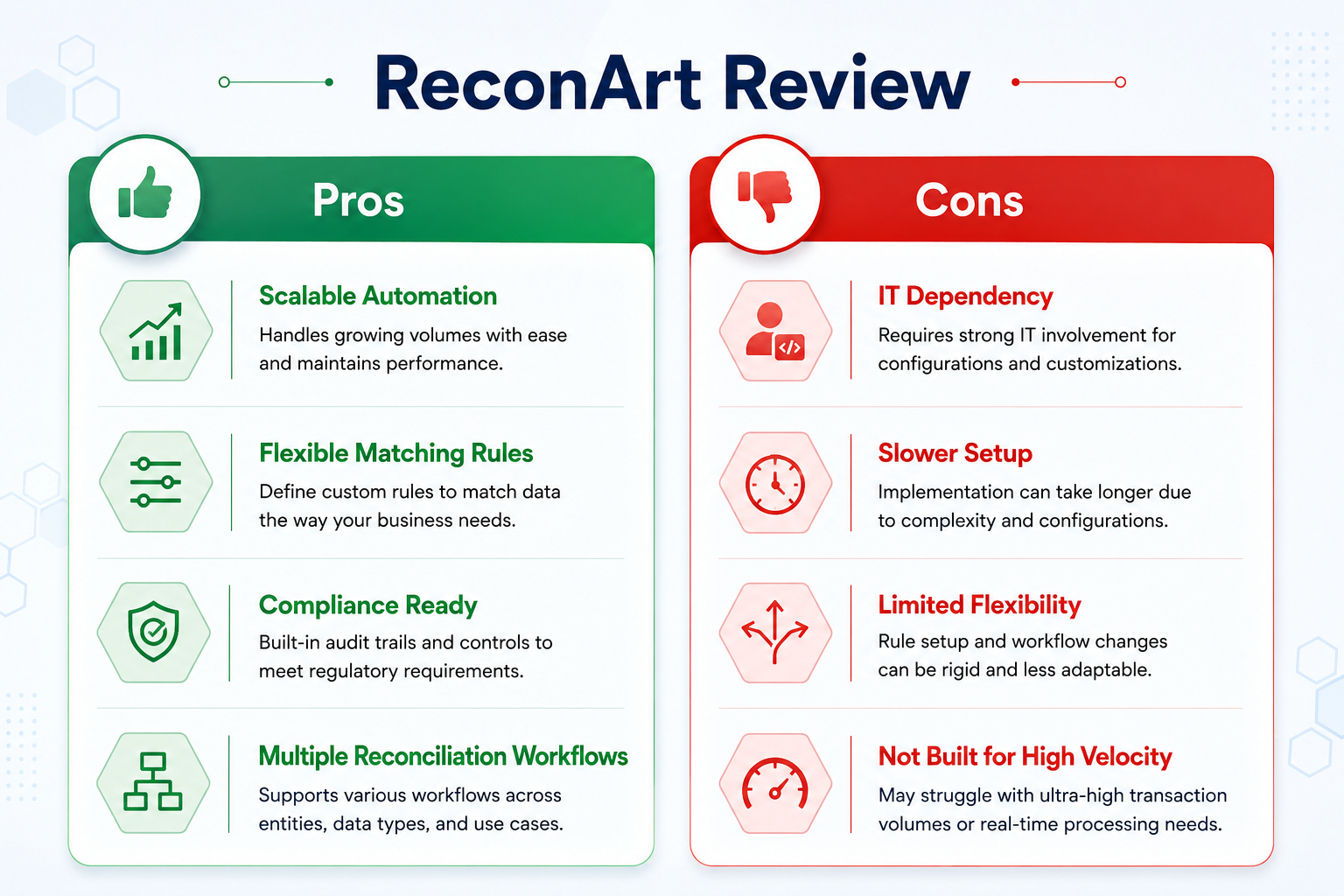
- Automation of complex data ingestion in large volumes.
- Rules can be configured for recurring transactions, reducing repetitive manual work over time.
- For straightforward use cases like bank reconciliation, the matching logic is considered easy to learn.
- Customer support is noted as prompt, and the platform includes training resources such as tutorials, webinars, and documentation.
ReconArt Cons
- Setting up complex matching rules often requires IT involvement, which slows down the implementation of new reconciliation processes.
- The initial learning period can seem challenging. It can take time for users to understand how the system works and where everything is.
- The interface may feel confusing and not very easy to use at first.
- Uploading and processing documents can sometimes be slow, which can delay timelines.
- Pricing is considered high for smaller businesses looking to adopt the platform.
ReconArt Pricing Overview
ReconArt pricing is not disclosed publicly on the website. For exact pricing details, you’ll have to contact their sales team. However, the platform does provide several editions, including features based on users’ needs. These include:
1. Essentials: This one is designed for small teams and covers full transaction matching, exceptions management, full process automation, and reports. It supports up to 25 million transactions per year.
2. Plus: Built for teams of 10 or more, it includes everything in Essentials plus period-end balance sheet reconciliation and certification. It supports up to 50 million transactions per year.
3. Certify: This edition is aimed at teams focused on period-end close. It includes balance sheet reconciliation and certification, a configurable approval workflow, a complete audit trail, and full process automation
4. Close: This is designed for teams that need a full financial close management solution. It allows users to choose two or more modules from certification, task management, variance analysis, and journal entries, with dashboards, reports, multiple roles, and complete audit readiness.
{{banner1}}
ReconArt Use Cases
Using ReconArt, the financial operations platform, you can perform:
- Bank reconciliation: Aids businesses in accurate matching of internal records with those of your bank statements, across multiple formats and complex directions.
- AP/AR reconciliation: Invoice and payment matching gets automated. It can also flag errors like duplicate or missing payments and offer a real-time view of outstanding balances.
- Intercompany reconciliation: Transactions across company subsidiaries are matched, and data from multiple accounting systems is unified.
- Financial close management: Helps with the accurate matching and reporting of balance sheets. Additionally, it simplifies task management and documentation.
- Journal entries: Ensures every financial entry follows standard rules, routes entries through multi-level approvals based on risk, and maintains a full audit trail.
Who Should Consider ReconArt?
ReconArt is designed for finance teams that handle structured reconciliation work, especially during period-end. It works well in a few common situations.
- For larger companies with complex close cycles, ReconArt helps bring everything into one place. Teams that are a part of multiple entities can use it for balance sheet reviews, variance checks, and journal entry tracking.
- It is also a good fit for mid-to-large finance teams that deal with different types of reconciliations. Be it intercompany transactions, securities, or general ledger accounts, everything can be managed within one system. This helps teams avoid using multiple tools and keeps processes more organized.
- Those organizations that already use ERP or general ledger systems, ReconArt fits into existing setups without much disruption. Its ability to connect with current systems and handle different file formats allows teams to continue their workflows without needing major changes.
- Smaller teams can also use ReconArt through its Essentials edition. This version is designed for smaller groups and focuses on basic transaction matching and handling exceptions. It is a step up from spreadsheets and gives more structure without adding too much complexity.
Who Might Need an Alternative?
ReconArt works quite well within its defined scope, but certain finance and operations teams may find it limiting, depending on their operational needs.
- Handle non-standard data formats: Teams that work with inconsistent or varied data sources may face challenges during data preparation. Even though ReconArt supports multiple file formats, normalizing data from different systems can take extra effort.
- Setup time and IT dependency: Configuring advanced matching rules often requires support from IT teams. This can slow down implementation for organizations that want a quicker start or prefer less technical involvement.
- Fit for payments and cards businesses: Companies dealing with high volumes of payment transactions across multiple systems, along with detailed fee and tax breakdowns, may find their needs more complex than what ReconArt typically supports.
- Flexibility in fast-changing environments: Making changes to matching rules or workflows usually depends on IT support. Teams that need to adapt quickly to new processes or data sources may find this limiting.
ReconArt vs Modern Reconciliation Platforms
Modern reconciliation platforms like Osfin keep modern needs at the forefront, such as growing transaction volumes, varied data sources, compliance obligations, audit-readiness, complex matching scenarios, high speed, and 100% accuracy.
{{banner1.1}}
Why Fintechs Are Choosing Osfin Over Traditional Enterprise Suites
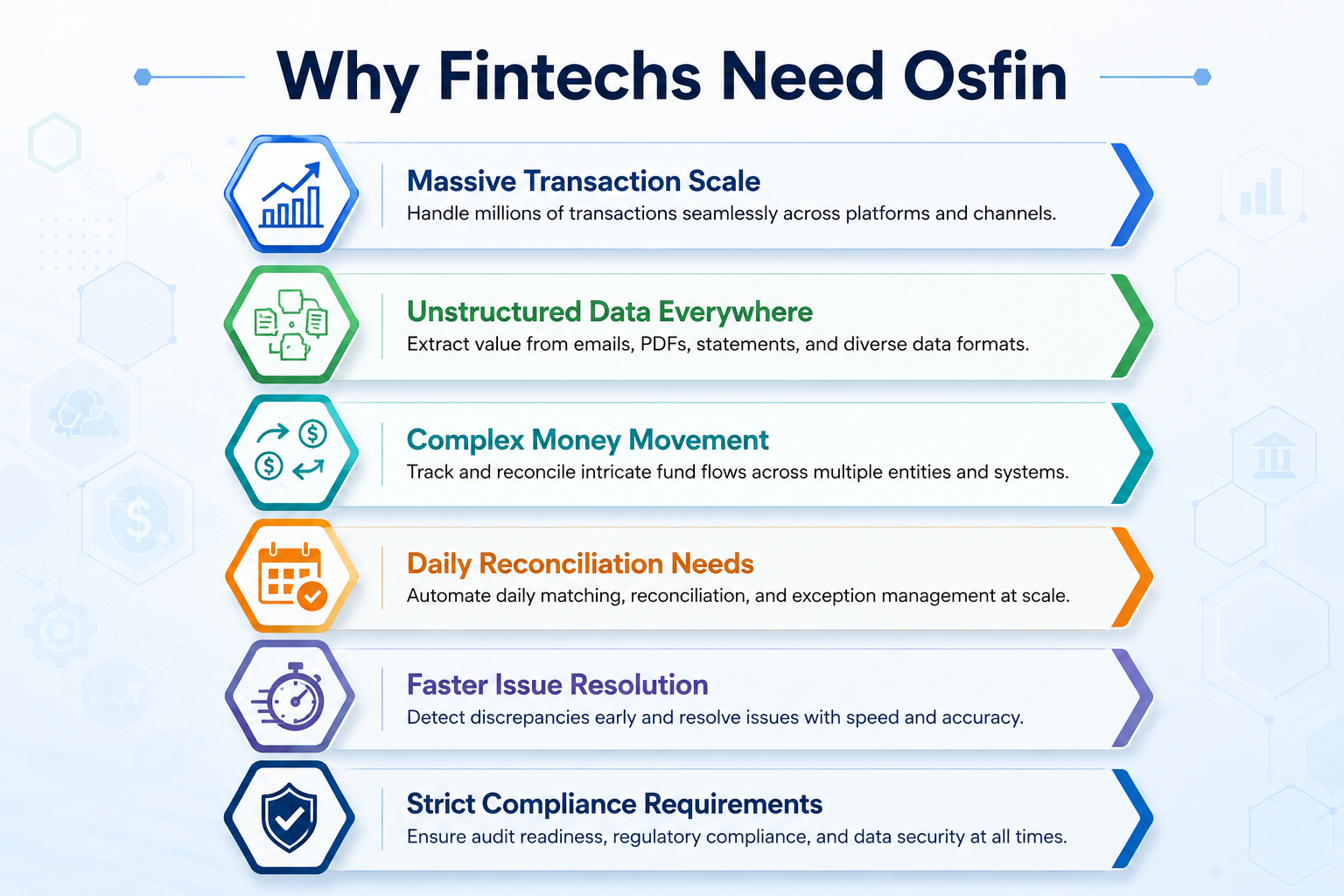
Fintech companies operate at a pace that most reconciliation tools were not built for. Millions of transactions, dozens of data sources, multiple payment gateways, all moving simultaneously. Traditional enterprise suites were designed around structured, period-end workflows. For fintechs, that model creates more friction than it solves.
Osfin is built differently. Here is how it works.
Osfin follows a four-stage reconciliation workflow designed for high-volume, continuous financial operations.
It starts at ingestion. Osfin is format-agnostic, which means it can pull data from any source through 170+ pre-built integrations, regardless of file structure. Before reconciliation even begins, it applies custom deviation tolerances to filter poor-quality data and detects duplicates and outliers at the point of entry, so downstream issues are caught before they compound.
The reconciliation engine uses logic-based matching that handles one-to-many, many-to-one, and multi-way reconciliation, from two-way through five-way, across complex transaction types. It processes 30 million records in 15 minutes and automatically reconciles payment gateway reports with commission, tax, and fee breakdowns included.
When transactions do not match, it flags them immediately with an accurate reason code and routes them to the right team member through its built-in ticketing engine.
Every reconciliation produces a compliance-ready output: full transaction traceability, audit-ready workflows, 256-bit encryption, maker-checker flow, role-based access, and two-factor authentication. Its compliance with SOC 2, PCI DSS, ISO 27001, and GDPR further eliminates any vendor compliance worries.
Why Fintechs Are Making the Switch
Traditional tools require IT involvement to configure new matching rules or onboard new data sources, a bottleneck fintechs cannot afford when payment types, gateway structures, and transaction volumes shift constantly.
1. No IT dependency: Osfin's low-code setup means finance teams configure and adapt independently. There are no volume caps by pricing tier, no batch-cycle delays, and no separate modules to stitch together for a complete picture.
2. High-speed processing: Rather than waiting for batch cycles, teams can process up to 30 million records in about 15 minutes with 100% accuracy. Discrepancies show up the same day, which makes them easier to fix before they grow into bigger issues.
3. Smart data handling: Data does not need to be perfectly structured before it comes in. Inputs from different sources and formats are cleaned early through tolerance checks, duplicate removal, and outlier filtering, so matching starts on reliable data.
4. Granular visibility: Visibility goes deeper than a single settlement line. Commission, tax, and fee components are separated during reconciliation, helping teams clearly track how money moves and where gaps may exist.
5. Automated exception routing: Unmatched transactions do not sit idle. Each one is tagged with a reason and automatically directed to the right person, which shortens the time between identifying and resolving issues.
6. Live operational view: Progress is not limited to end-of-month reporting. Live dashboards show match status, exposure, and exceptions at any point, making it easier to stay informed throughout the cycle.
7. Built-in compliance: Security and compliance are built into everyday workflows. Encryption, approval layers, role-based access, and two-factor authentication support requirements like PCI DSS, SOC 2, ISO 27001, and GDPR.
Final Thoughts
Reconciliation is something that fintechs need every day, across every transaction, gateway, and settlement cycle. The platform that supports it needs to match that pace in data handling, matching logic, exception resolution, and compliance output.
Osfin is built for exactly that. If your current tool slows your team down or creates dependency on IT for every configuration change, it may be time to see what a purpose-built alternative looks like.
{{banner2}}
FAQs
1. Is ReconArt suitable for fintech companies?
ReconArt works quite well for fintechs that need period-end reconciliation and financial close management. However, fintechs that process very high transaction volumes continuously or need real-time exception visibility may find the platform's design restrictive for their pace of operations.
2. Does ReconArt offer real-time reconciliation?
ReconArt is built around scheduled, period-end workflows rather than continuous processing. Its dashboards and exception management are tied to the close cycle. Teams that need live match status and exposure visibility throughout the month will find this a limitation.
3. How much does ReconArt cost?
ReconArt does not publish pricing on its website. Four editions exist – Essentials, Plus, Certify, and Close – each with different feature sets. But for the exact pricing range, you’ll need to contact their sales team.
4. What are the best alternatives to ReconArt?
Osfin is quite a strong alternative if your team needs high-volume, continuous transaction reconciliation with 170+ integrations, real-time exception handling, no IT dependence, and lightning-fast processing at 100% accuracy.
5. Is ReconArt good for mid-sized businesses?
ReconArt can work for mid-sized businesses, particularly those with structured close cycles and multiple reconciliation types to manage. The Plus edition supports teams of ten or more. Smaller teams may find the platform complex to set up without IT support.