Month-End Close Process: Steps, Checklist & Best Practices (2026 Guide)
Financial institutions like banks and card providers constantly face tight deadlines and high stakes. Overall, these continuous transaction processing and month-end close processes can become time and energy-draining exercises for your team. And with all advancements in the field of finance and technology, you need to implement a fast and accurate process that delivers reliable reports for the smooth functioning of finance operations.
This article is to help you cut close time and risks with a simple step-by-step month-end close process and automation tools like Osfin in the year 2026. And also to free your team to build a better strategy rather than spend tedious hours fixing the spreadsheets manually.
What is the Month-End Close Process?
You can define the month-end close process as a routine process that you must follow at the end of each month to ensure accuracy of all your books for the specific time period. This process brings together all transactions, checks them for accuracy, posts accruals or adjustments and then prepares financial statements so you can rely on them for reporting and audits.
The month-end close process creates a clear-cut-off for revenue, expenses, assets, and liabilities. This is extremely crucial to support your tax filings, regulatory returns, and internal decision-making.
{{banner1}}
Why does the Month-End Close Process Matters?
A thorough month-end close process is a regular exercise to keep all your financial transactions accurate and reliable. Financial institutions like banks and treasury services count on it for reporting purposes. The month-end close process also matters for leadership to make smart decisions and make it easy to spot trends in transaction margins, chargeback rates, and funding costs.
It also helps you adjust pricing or liquidity plans to ensure compliance. Regulators also depend on these numbers for audits and filings, and if your month-end close process is not strong, it might lead to some penalties.
This process comes up with reliable, timely numbers for your investors and boards, which is why it is necessary to perform clean closes to build credibility. This creates a chain of processes; the month-end closes also impact quarter-end and year-end close processes. All the issues get compounded later to ease your work, and strong month-end close processes save time across the year.
Step-by-Step Month-End Close Process
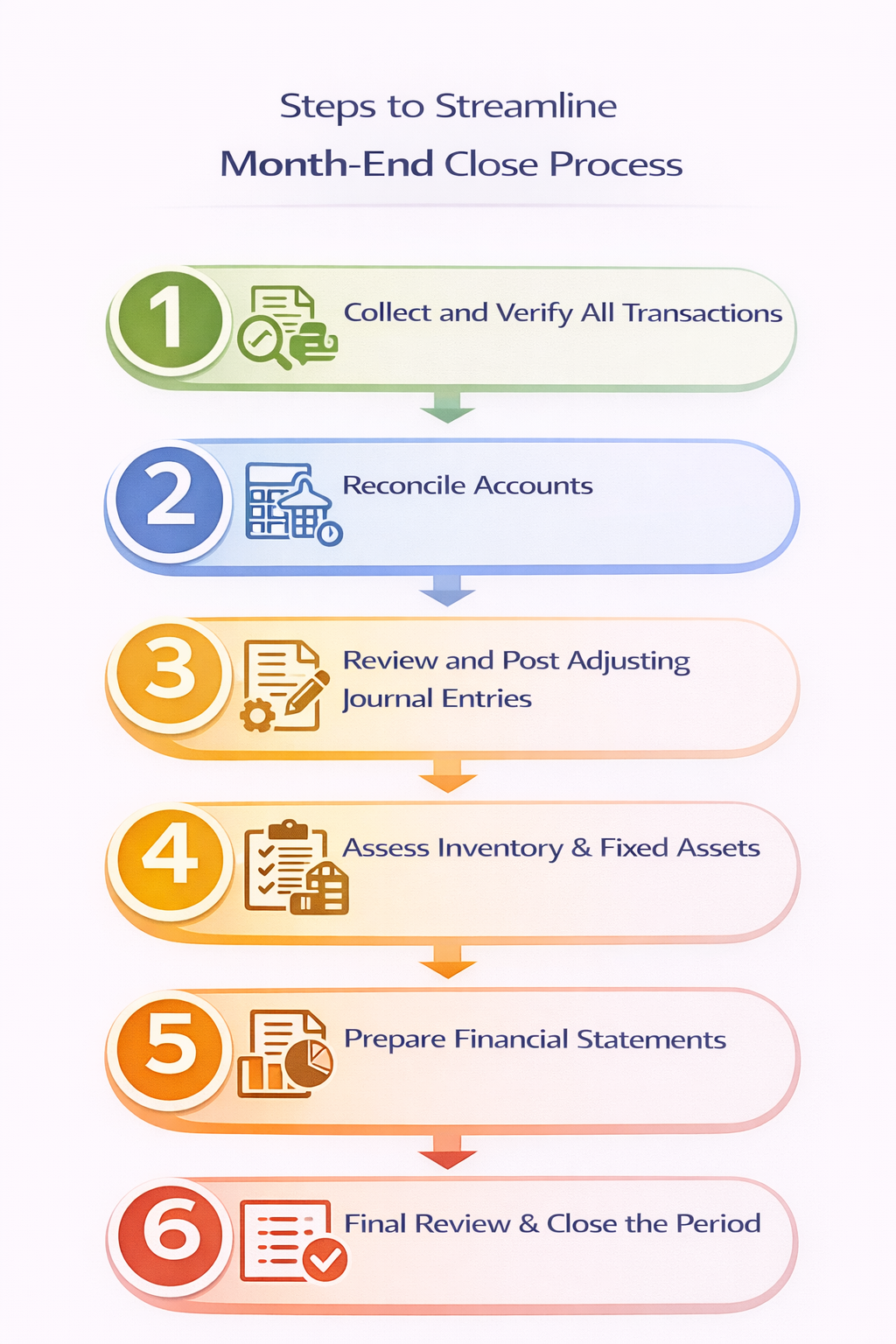
Following a clear month-end checklist is a perfect asset to close faster without losing control over the complex process. You can note that each step builds on the last, so it creates a pattern when you move raw transactions to signed-off numbers. It is a structured and repeatable way that supports automation, audits and regulatory reporting.
Step 1 - Verify All Transactions
You need to start by collecting all varieties of transactions available for the specific period. These can include invoices, vendor bills, expense receipts, AR and AP entries, card transactions and more.
Step 2 - Reconcile Accounts
You should reconcile all your key accounts, like AR, AP, loans, deposits, clearing, inventory records, fixed assets, credit card statements, and deferred revenue so that the system records perfectly match the external statements. It is necessary to tie bank and cash accounts to statements and settlement files, and clear timing differences and missing entries.
Step 3 - Reviewing and Posting Adjustments in Entries
After performing reconciliations, you must review balances and post adjusting entries. Treasury teams need to perform a thorough evaluation of data right from the collection stage to standardization and finally validate the transaction details to ensure accurate tracking of entries. You also need to correct the entries for mis-posting or errors discovered during reconciliations.
Step 4 - Assessment of Fixed Assets & Inventory
All your fixed assets and inventory need to be reviewed, too. For inventory such as cards, POS devices, or consumables, compare records with physical counts or operational reports and investigate gaps. And for fixed assets, you need to confirm that additions, disposals, and transfers match your fixed asset register and the general ledger.
Step 5 - Prepare Financial Statements
After the process of reconciliation and adjusting is done, you need to prepare financial statements like bank statements, cash flow statements, and balance sheets for the entire month. Also, focus on management reports for your business, such as product profitability, card portfolio performance, liquidity views, and variance analyses against budget or forecast.
Step 6 - Final Review
In the end, you should perform a structured review before closing. And the controllers and finance leaders should review key reconciliations, high-risk accounts and unusual variances. Once all seems clear, lock the period in your accounting system so no back-dated changes slip in after sign-off.
You should circulate the reports to leadership, risk and regulatory teams and document all issues and learnings from the current cycle to improve the next close cycle.
{{banner1.1}}
Tools & Technology to Streamline the Month-End Close
Speeding up your month-end close starts with the right tools. Banks, financial institutions, card providers, and treasury teams see the most significant gains in three areas. You need a strong accounting system. You need tight ERP integration. You also need reconciliation automation that can handle high volumes with 100% accuracy.
Reconciliation Automation
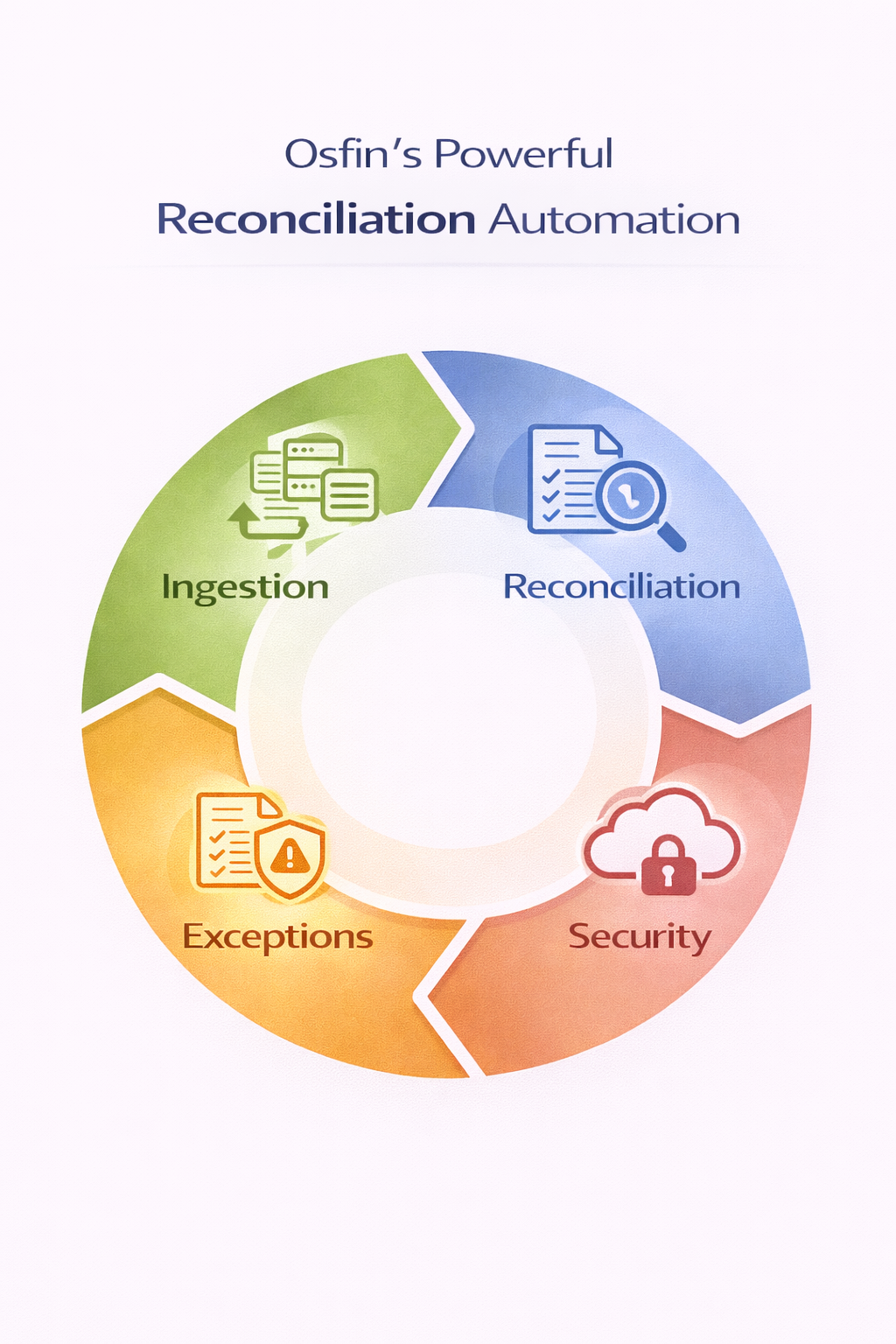
You can think of reconciliation as the bottleneck of the month-end close process, especially for high-volume payment and card flows. And automation tools like Osfin help you overcome this issue by replacing manual matching with 100% automated accuracy.
Accounting Systems
Modern accounting systems sit at the center of a fast month-end close for banks, financial institutions, card providers, and treasury teams. They help you capture every transaction and reduce rework by validating entries at the source itself.
You can also make use of cloud-based platforms to help your teams collaborate in real time, apply consistent controls, and avoid version chaos from multiple spreadsheets. Your core system needs clear roles, approvals, and audit trails for reporting and compliance.
ERP integration
To remove manual handoffs from the process entirely, you need to tighten the integration between your ERP, core banking, card processors and subledgers. This also helps you feed clean and standardized data into your operational systems to cut down on duplicate entries and late adjustments. It helps you design a healthy, integrated workflow to align procurement, operations, risk, and finance altogether.
Osfin supports the full reconciliation cycle by offering the following features:
Data Ingestion
Osfin is a file-format agnostic platform that offers more than 170 integrations and standardizes file formats for fields like amounts, dates, IDs, currencies. It then proceeds further by applying custom deviation tolerances to clean data and filter out poor-quality records. This means that Osfin is capable of collecting data from any source and structure, and it converts it into a standard, usable format while also detecting duplicates and outliers at the point of ingestion.
Reconciliation process
Osfin makes use of custom logic-based matching rules. These handle many-to-one and one-to-many relationships, which are common with batches, partial settlements, and aggregated scheme files. You can reconcile 30 million records in 15 minutes with 100% accuracy using Osfin.
Exception Handling
All the unmatched transactions are flagged with proper context and root cause analysis and are routed to respective teams internally and externally for resolution using Osfin’s ticketing module. Osfin performs this exception handling process with its powerful 'ticketing' engine. It also provides live dashboards that display match status, exposure, and exception queues in real time. This helps you monitor risk, clear bottlenecks, and keep the close on schedule.
Security Features
Osfin maintains 100% audit logs and secures your transaction data with 256-bit encryption, role-based access, and two-factor authentication. It also complies with SOC 2, PCI DSS, ISO 27001, and GDPR requirements to meet global security expectations.
Conclusion
All the banks, treasury teams and card providers need a structured month-end process for reliable reporting and compliance. It helps you turn massively generated raw data into actionable insights without any errors or delays. You can follow the simple 6-step process mentioned in this article, along with automation tools like Osfin, to close faster in 2026.
Osfin is a perfect fit for financial institutions that need 100% accuracy in month-end close processes with more than 170 integrations, and logic-based matching for 30 million records in 15 minutes.
To speed up your routine month-end close process, schedule a free demo with Osfin today!
FAQs
1. What is the month-end close process?
A month-end close process is an accounting cycle that assists in finalizing your company's financial records for the past month. This covers activities like reconciling accounts, adjusting entries and preparing financial statements.
2. Why is the month-end close important for businesses?
Month-end close is important because it helps you verify accuracy and compliance across all finance operations in your business. It covers reconciliation, error identification and performance tracking for better decision-making.
3. What are some common mistakes to steer clear off during a month-end close?
You should avoid relying on manual processes, and other mistakes like poor communication in the department, inconsistent procedures, and not reconciling accounts due to tight deadlines.
4. How long should a month-end close take for a typical company?
For a typical company, a month-end close can take around 5 to 10 business days. But with automation tools like Osfin, you can achieve it in 3 to 5 days.
5. Can automation speed up the month-end close process?
Yes. Automation can speed up the month-end close process by handling all repetitive tasks, reconciliations and report formatting. It also helps to remove manual errors and frees your team for analysis, and sets a proactive process cycle.